
Introduction to FluentSMTP Dashboard
FluentSMTP lives at Settings → FluentSMTP. The screen is a top bar plus one page at a time. Destinations in the bar are Dashboard, Settings, Email Logs, Alerts, and About. Send Test Email is a button on the right of the bar, because that is the check people run most often.
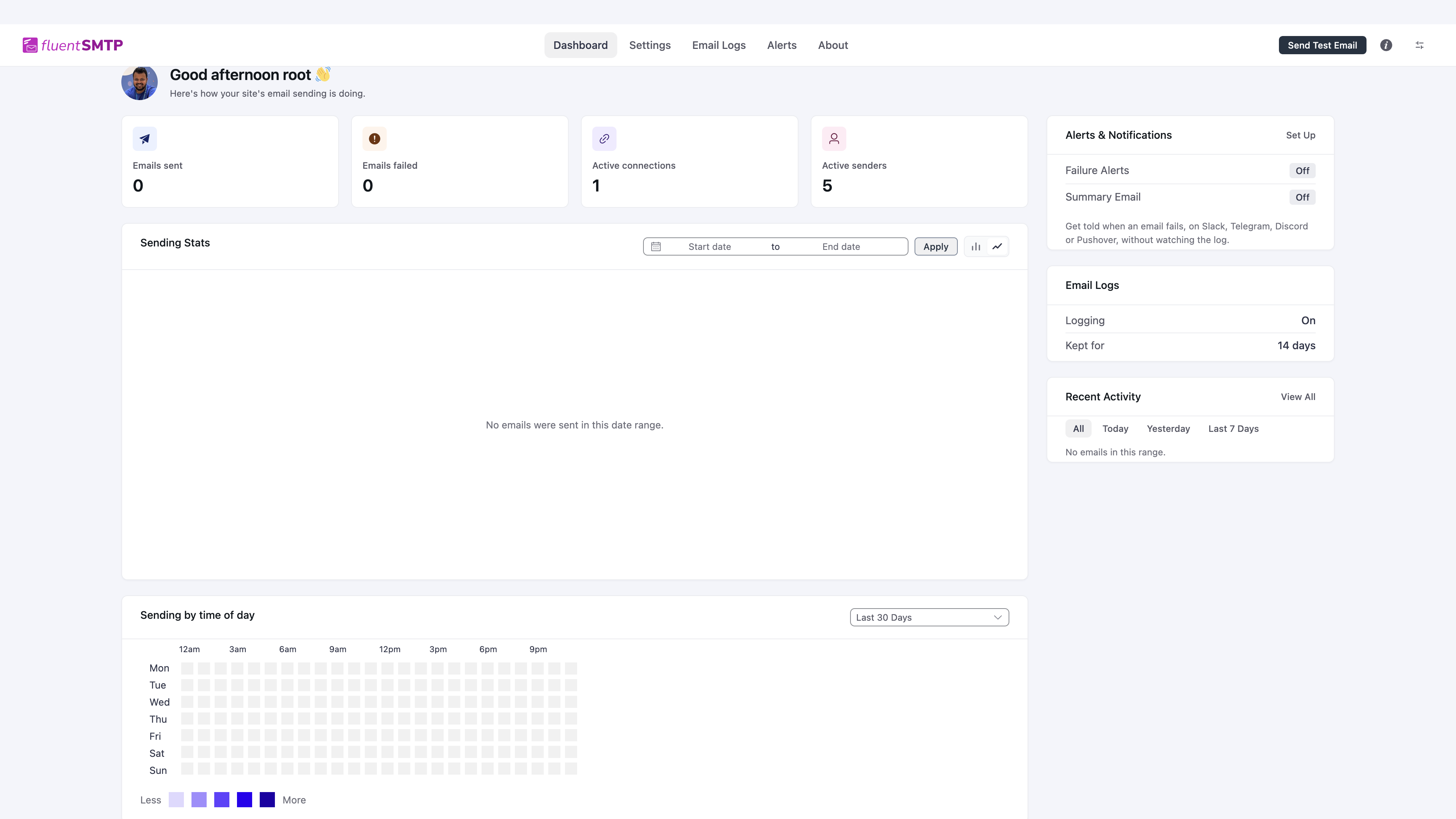
Dashboard
Once at least one connection exists, the dashboard shows how sending is going.
- Emails sent and Emails failed for the selected date range. Failed is a link into the log, already filtered to failures.
- Active connections and Active senders. Senders are From addresses, including extra ones on SES and toSend.
- Sending Stats is a chart. Set a start and end date, or leave it empty and use the range control.
- Sending by time of day is a heatmap. It is useful when you want to know whether mail is piling up at a particular hour.
- The right column has Alerts, a reminder of log retention, and Recent Activity.
If nothing is connected, this screen is replaced by the first-run wizard.
Settings
Settings is where connections live. The list is on the left. General Settings sit on the right: logging, how long logs are kept, email simulation, and the plain-text alternative.
Default and Fallback are not dropdowns on that card any more. You set them from the connection row itself. See FluentSMTP Settings.
Send a test email
Click Send Test Email in the top bar.
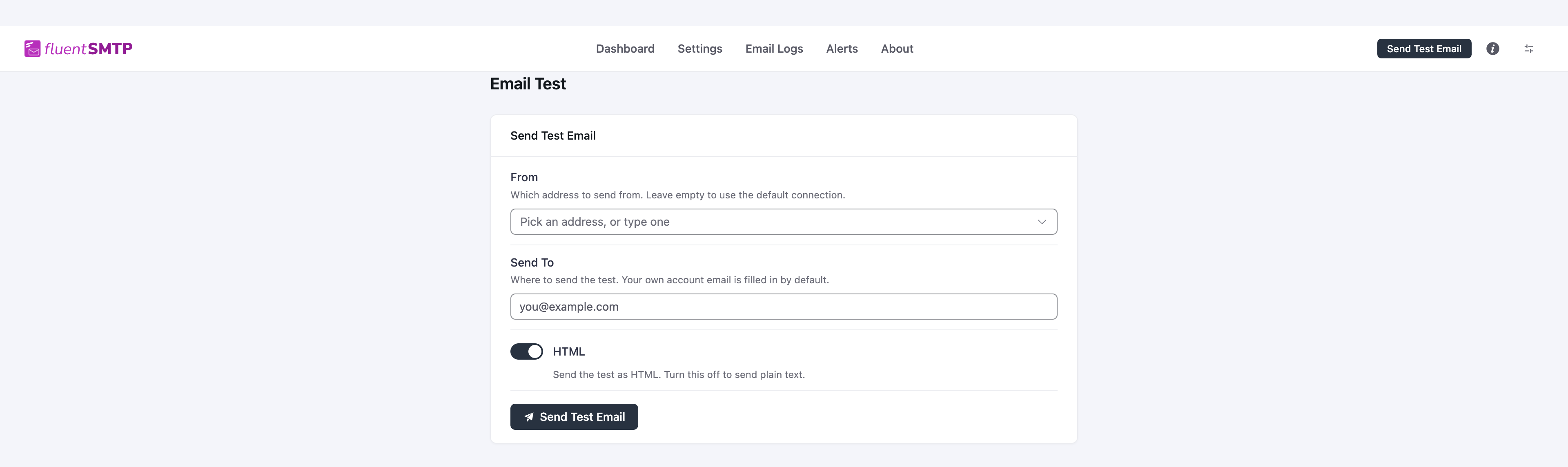
- From: pick a connected address, or leave it empty to use the Default connection.
- Send To: your own inbox. Use an address you can open, including the spam folder.
- HTML: on sends an HTML test, off sends plain text.
If the plugin reports success, WordPress handed the message to the provider. That is not the same as "it landed in the inbox." Open the mailbox. If it is not in Inbox, check Spam. If it never arrives, open Email Logs and read the provider response.
Email Logs and Alerts
Email Logs is every message FluentSMTP recorded, with resend and the raw server response. Alerts is where failure notifications and the summary email live. Both have their own guides.
The i icon in the top bar opens the in-plugin documentation search, which reads these same pages.