

What Is Email Deliverability Rate & What Score Is Actually Good?

Imagine your team launched the biggest email campaign of the year. The design looks clean, the copy is sharp, the offer is genuinely persuasive, and you are all set to bring in revenue.
You hit send, and then the metrics start to shock you.
Open rate: 9%. Click rate: barely 1%. You’ve started scratching your head.
Before you do anything drastic, ask yourself this first: Did those emails even reach the inbox?
That single question is the difference between an email strategy that scales and one that silently leaks revenue.
And the answer lives in one metric: your email deliverability rate.
If you’ve never heard of “email deliverability rate”, or you’ve heard of it but aren’t quite sure what a good score looks like, this guide is for you.
Let’s break it all down, from scratch, with real examples along the way.
Email Deliverability Rate vs. Email Delivery Rate: Aren’t They the Same Thing?
This is the number 1 source of confusion in email marketing, and it’s costing people real money, because they think they’re fine when they’re not.
In simple terms, Email deliverability rate is the percentage of your sent emails that successfully land in recipients’ primary inboxes, not spam folders, not junk, not blocked entirely.
And, Email delivery rate is the percentage of your emails that successfully get sent to your recipients, regardless of primary, promotion, or spam folder.
How Email Deliverability Rate and Email Delivery Rate Are Measured
| Metric | What Does it Mean | How to Calculate |
|---|---|---|
| Email Delivery Rate | % of emails accepted by the recipient’s mail server (not bounced) | (Emails Sent − Bounced Emails) ÷ Emails Sent × 100 |
| Email Deliverability Rate | % of delivered emails that actually land in the primary inbox (not spam) | (Emails Reaching Inbox ÷ Emails Delivered) × 100 |
Let’s explain this with a simple example:
Say you sent 1000 emails, and 950 emails reach the mail servers.
Out of 950 emails:
- 700 landed in the inbox
- 200 went straight to the spam/junk folder
- 50 were silently rejected after being accepted
Your delivery rate would still show 95% (because 950 were “accepted”).
But your actual inbox placement, which is what most people mean when they say “deliverability rate,” would be around 74%.
What Is Considered a Good Email Deliverability Rate?
Here’s the benchmark framework most email experts and ESPs use these days:
| Rating | Email Deliverability Rate |
|---|---|
| Excellent (Gold Standard) | 95% – 100% |
| Good (Not Great) | 89% – 94% |
| Below Average (Warning Zone) | 80% – 88% |
| Poor (Red Zone) | Below 80% |
What counts as “good” depends on the email type, and on which number you’re reading! Not all emails are measured equally:
- Transactional (order confirmations, password resets, receipts): the highest placement of any type, because people expect these and rarely mark them as spam. Aim for 95% or higher inbox placement. Delivery rates often sit near 98 to 99%, but inbox placement runs lower, so do not read a 98% delivery rate as 98% in the inbox.
- Marketing and newsletters (campaigns, promotions, digests): a tier lower, because providers send a lot of promotional mail to tabs or filtering. Validity’s 2025 benchmark put global inbox placement around 83.5%, so industry averages sit in the mid 80s. A clean, engaged, opt-in list can reach 90% and above. Treat that as the target to aim for, not the average to expect. Drip
- Cold outreach (B2B prospecting, sequences): the lowest, because recipients never asked to hear from you. Even a reasonably maintained list often lands below 85%, and a poor one drops well past that.
Note: these are ballpark figures, not guarantees. Inbox placement varies widely by mailbox provider, industry, and region, so treat any single benchmark as a direction, not a pass mark.
Why Is Email Deliverability Rate Important?
Every email metric you care about (open rates, clicks, conversions) only works well if your email actually reaches the inbox.
Your email deliverability rate is what determines whether that happens.
When your email deliverability rate drops:
- Hampers Open Rate: Your open rates fall not because your subject line is weak, but because fewer people are seeing your emails in the first place.
- Sender Reputation Damages: Gmail, Yahoo, and Outlook track how people interact with your emails. A low deliverability rate today makes it harder to reach inboxes tomorrow.
- Lose Revenue: When a growing number of subscribers never see your campaign, your revenue automatically gets hit.
- Recovery Takes Time: Once your sender score drops, rebuilding it requires weeks of careful, consistent sending before ISPs start trusting you again.
What Hurts Your Email Deliverability Rate?
Once you know what can disrupt your email deliverability rate, it becomes easy to improve it.
Here’s a breakdown of which factors impact your email deliverability:
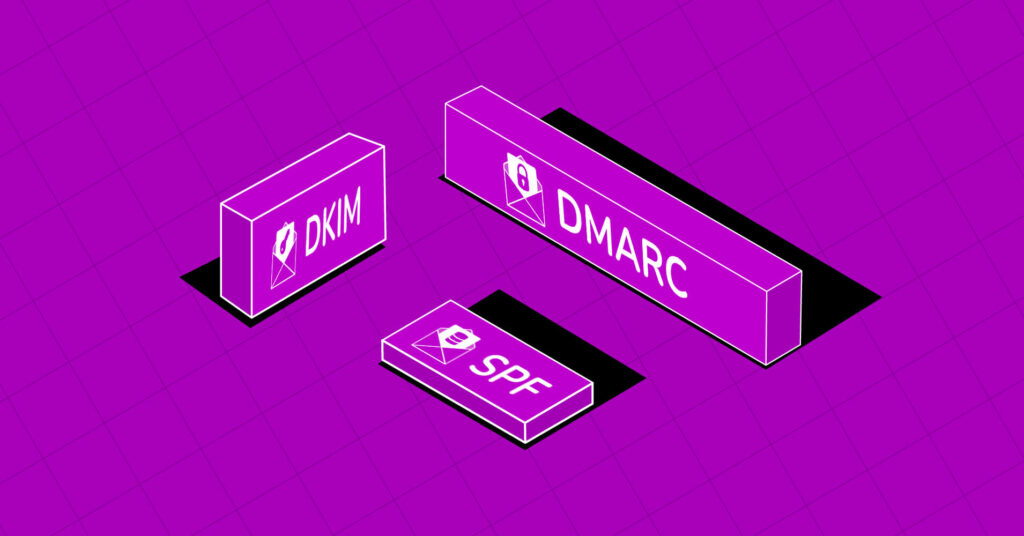
Email Authentication (SPF, DKIM, DMARC)
This is the single most important technical factor. Without proper authentication, your emails look like a package arriving with no return address, and this create suspicious by default to email service providers.
- SPF (Sender Policy Framework): A DNS record that tells mail servers which IP addresses are allowed to send email on behalf of your domain. Think of it as an approved sender list.
- DKIM (DomainKeys Identified Mail): A digital signature attached to every email you send. It proves the email wasn’t tampered with in transit.
- DMARC (Domain-based Message Authentication, Reporting & Conformance): Ties SPF and DKIM together. It tells receiving servers what to do if either check fails and gives you reporting visibility.
Note: Gmail and Yahoo now mandate SPF, DKIM, and DMARC authentication for bulk senders transmitting over 5,000 messages per day.
Sender Reputation
Your sending domain and IP address each carry a reputation score with ISPs like a credit score, but for email. It’s built over time based on:
- How often recipients open your emails
- How many people mark your emails as spam
- Whether you have hard bounces
- How consistently you send
Once your reputation takes a hit, rebuilding it takes weeks or even months. This is why proactive sender reputation management matters far more than reactive fixes.
Spam Complaint Rate
Gmail and Yahoo now enforce a maximum spam rate of 0.3%, with Gmail recommending brands stay below 0.10%. Even lower complaint rates can trigger inbox filtering if other risk signals are present.
That might sound like a generous threshold until you do the math.
For example, if you send 10,000 emails:
- 0.10% = 10 spam complaints means Gmail starts watching you
- 0.30% = 30 complaints means you’re at risk of filtering
A single batch email to a stale list can blow past both thresholds in one campaign.
List Quality & Bounce Rate
The quality of your email list directly affects your deliverability rate. If your list is full of invalid or outdated email addresses, a large number of your emails will bounce, and ISPs take that as a sign that something is off.
There are two types of bounces to know:
- Hard Bounces: It happens when an email address simply doesn’t exist or is permanently invalid. These are the most damaging and should be removed from your list immediately.
- Soft Bounces: These are temporary, like when someone’s inbox is full. These are less serious but still worth keeping an eye on.
A good rule of thumb: keep your hard bounce rate below 2%. If it climbs higher, your sender reputation will start to suffer.
Engagement Signals
Modern spam filters don’t just scan for keywords; they analyze behavior patterns. Gmail, in particular, uses engagement signals heavily:
- Do people open your emails?
- Do they reply?
- Do they click?
- Do they delete without reading?
- Do they pull your emails out of spam?
Low engagement means low inbox placement. This is why blasting emails to unengaged subscribers actually makes things worse over time, not just less effective.
Sending Volume & Consistency
Imagine an account that sends 500 emails a week for three months, then suddenly sends 100,000 in a single day. That pattern looks like a compromised account or spam operation to ISPs.
Consistency matters. Sudden spikes in sending volume, even to legitimate subscribers, can trigger temporary filtering.
Email Content
While content-based spam filtering has become more sophisticated, certain patterns still raise red flags:
- Excessive use of spam trigger words (“FREE!!!”, “GUARANTEED”, “ACT NOW”)
- All-caps subject lines
- Heavily image-based emails with minimal text
- Broken or redirected links
- Missing plain-text version of the email
Email Blacklists
If your sending IP or domain ends up on a major blacklist (Spamhaus, Barracuda, etc.), your deliverability can drop to near-zero almost overnight. Email blacklisting usually happens due to spam complaints, high bounce rates, or sending to spam trap addresses.
Read More: Email Blacklist Removal: How to Get Your Email Off a Blacklist
How to Improve Your Email Deliverability Rate
Okay, you’ve diagnosed the problem (or want to prevent one).
Here’s how to actually fix and maintain great deliverability.
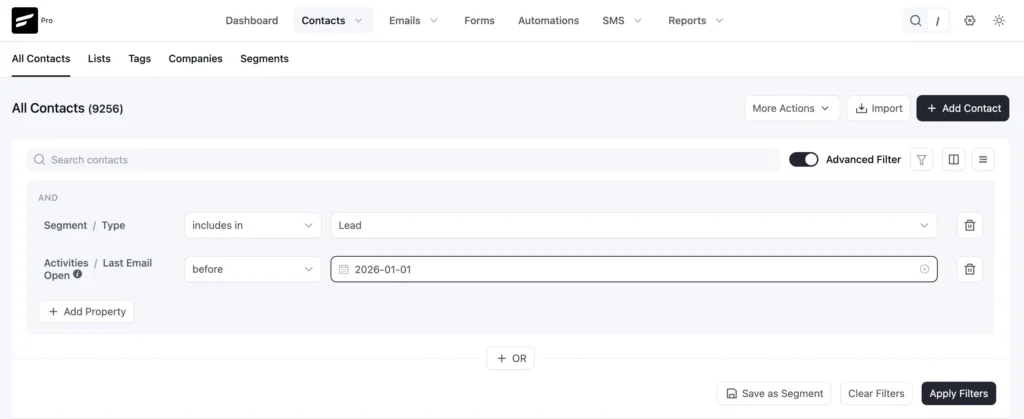
Keep Your Email List Clean
Remove hard bounces immediately. Suppress anyone who hasn’t engaged in 6–12 months or run a re-engagement campaign first.
Set Up Email Authentication
This is non-negotiable. If you’re on an ESP, they’ll walk you through this. If you’re using a custom setup, your developer or domain provider can help. It takes 30 minutes to set up, and it makes a massive difference.
And, if you are a FluentSMTP user, then it automatically adds email authentication protocol; you do not need to worry about that.
Warm Up New IPs or Domains
If you’re using a new sending domain or dedicated IP, don’t blast 100,000 emails on day one.
Start warming up by sending a small portion of emails, 500 emails/day for the first week, then gradually increase. This builds a positive sending reputation.
Segment & Target Engaged Subscribers
Send your most important campaigns to your most engaged segments first.
| Tier | Definition | Strategy |
|---|---|---|
| Highly Engaged | Opened/clicked in the last 30 days | Full campaign cadence |
| Engaged | Opened/clicked in last 31–90 days | Regular sends, monitor engagement |
| At Risk | No opens/clicks in 91–180 days | Re-engagement sequence |
| Lapsed | No opens/clicks in 181–365 days | One final re-engagement attempt |
| Inactive | 365+ days of inactivity | Remove |
Use a Recognizable Sender Name and Consistent From Address
People click “spam” more often on emails they don’t recognize.
Using [email protected] is also a missed opportunity; it kills reply engagement. Use a real person’s name and address where possible to build recognition and trust.
Make It Easy to Unsubscribe
Gmail and Yahoo require making unsubscribing easy for subscribers.
So, a one-click unsubscribe isn’t just good UX, it’s now a compliance requirement. Easy unsubscribing protects your sender reputation.
Remember, it’s better to let people unsubscribe instead of going for a spam report.
Monitor Email Metrics Continuously
Don’t wait for your open rates to crash before checking your deliverability health.
Track every metric related to your emails. Be it open rate, click rate, inbox placement rate, spam rate, and the rest. Nothing should stay unnoticed.
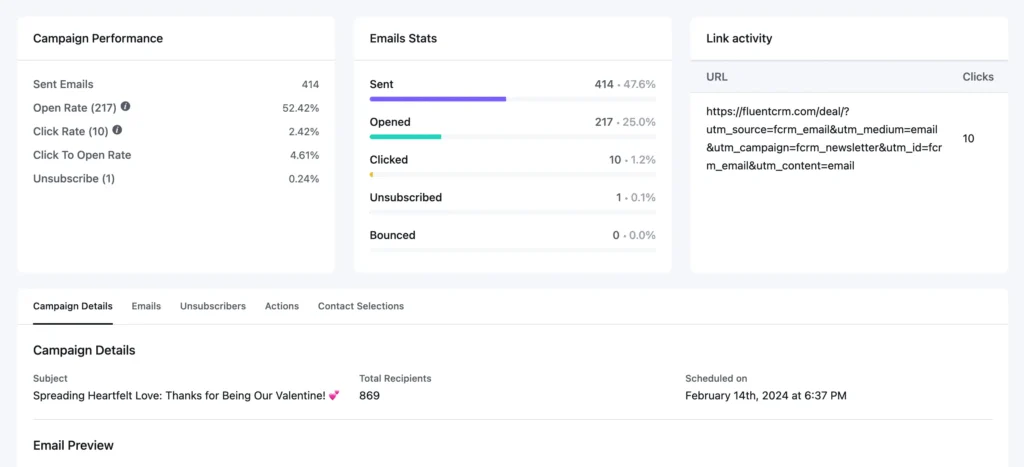
If you’re a FluentSMTP and FluentCRM user, then tracking email marketing metrics and performance is a pretty straightforward task.
FluentCRM allows you to track open rate, click rate, click-through rate, spam complaint rate, and more for each individual campaign. It also allows you to test your campaigns across multiple devices before sending them.
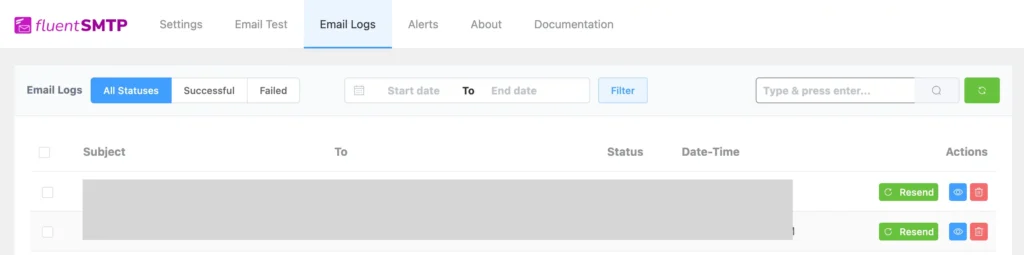
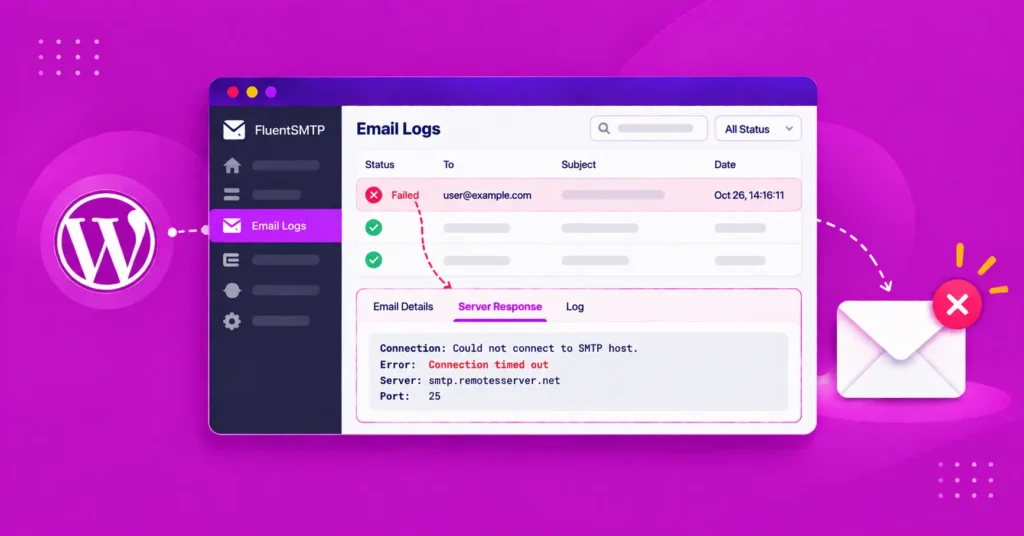
With FluentSMTP, you can check which email is bouncing using email logs.
Suggested Email Deliverability Rate Guidelines by Email Service Providers
The three inbox providers that matter most, Gmail, Yahoo, and Microsoft Outlook, now have enforceable rules for bulk senders.
These aren’t just recommendations. Cross their thresholds, and your emails get rejected outright, not just filtered to spam.
Here’s what each provider requires:
| Requirements | Gmail | Yahoo Mail | Microsoft(Outlook/Hotmail) |
|---|---|---|---|
| Applies To | Senders of 5,000+ emails/day to @gmail.com | emails/day to @gmail.comSenders of 5,000+ emails/day to Yahoo addresses | Senders of 5,000+ emails/day to Outlook, Hotmail, Live |
| SPF | Required | Required | Required |
| DKIM | Required | Required | Required |
| DMARC | Required (at least p=none) | Required (at least p=none) | Required (at least p=none) |
| Spam Complaint Rate | Stay below 0.10%; hard ceiling at 0.30% | Stay below 0.30% | Stay below 0.30% |
| One-Click Unsubscribe | Required; process within 2 days | Required | Strongly Recommended |
| Enforcement Since | February 2024 | February 2024 | May 2025 |
Boost Your Email Deliverability Rate Effortlessly
Let’s wrap everything up with a practical, actionable picture.
You don’t need to be a technical expert to achieve an excellent email deliverability rate. You just need to care about the right things consistently.
Here’s the truth about where most senders go wrong: they treat email deliverability as a technical problem to solve once and then forget.
But deliverability is a living system. Your reputation is constantly being reassessed by ISPs with every email you send. The moment you stop maintaining it, it starts to erode.
The good news? The effort is minimal, but you need to do it consistently.
Mostly, a clean list, solid authentication, plus consistent engagement, doesn’t just get you to 95%, it keeps you there.
Tanzil Ebad Efti
Words are my favorite playground. As a Creative Writer at WPManageNinja, I don’t just produce content; I tell stories. By mixing fiction and metaphors with real-life examples, I turn my writing into a creative journey that’s easy for readers to digest and relate to.
Table of Content
Subscribe To Get
WordPress Guides, Tips, and Tutorials




Add your first comment to this post