


Email Warm-Up: How to Warm Up a New IP Address or Domain Without Hurting Your Reputation

You just moved your store’s emails to a proper email sending service and paid for a dedicated IP. Of course, it sounds like the grown-up option.
Now you’re ready to land 99% of emails in your users’ inboxes. Right?
Not really.
A new IP isn’t clean; it’s unknown, and unknown gets throttled. Mailbox providers have no history on it, so they take some time to trust emails from a new IP address. And as a result, you might not get the expected inbox placement you hoped for when you paid for a new IP.
A new sending domain has the same problem, and the fix is similar.
We’ll start with whether your WordPress site needs to warm an IP at all, because plenty don’t.
After that comes what your email provider may already be doing for you, a schedule for ramping up volume, how to move your WordPress emails across one stream at a time, and the signs that tell you to slow down.
IP warming is the process of sending gradually increasing volumes of email from a new dedicated IP address so that mailbox providers can build a reputation for it. You start with small daily volumes to your most engaged recipients and raise them in steps, usually within 30 days according to SendGrid, holding or stepping back whenever bounces or complaints rise.
What is Email Warm-Up?
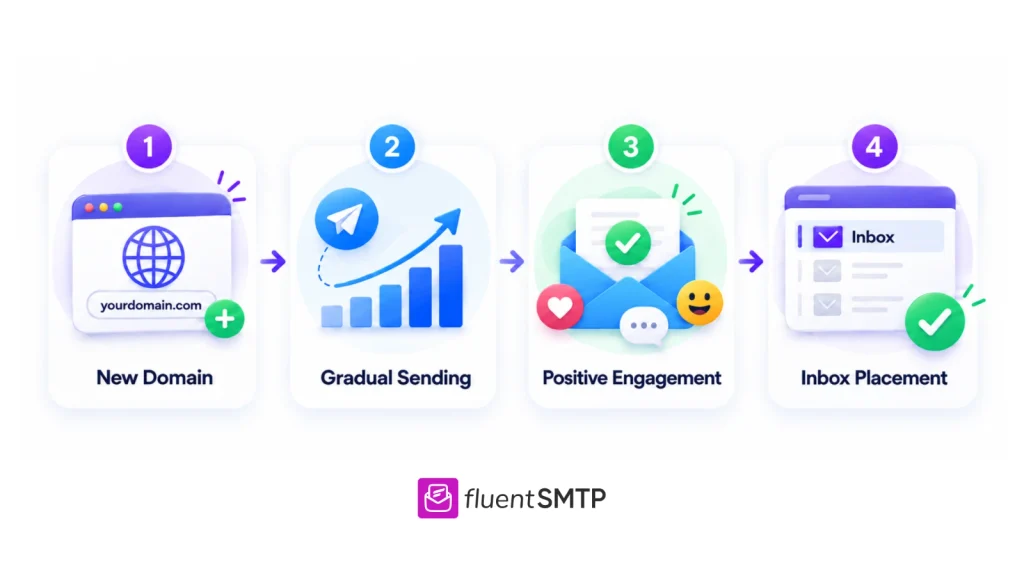
Email warm-up is the process of gradually building trust with mailbox providers before sending emails at scale. Instead of sending hundreds or thousands of emails immediately from a new domain or IP address, you slowly increase sending activity over time while maintaining healthy engagement.
The goal is simple: prove to mailbox providers that your emails are legitimate and wanted by recipients.
When a brand-new domain starts sending large email volumes without any reputation history, providers often become cautious. From their perspective, there is no way to immediately know whether the sender is:
- a real business
- a spammer
- an automated bot
- or a phishing operation
That’s why email warm-up exists. It helps mailbox providers gradually build confidence in your sending behavior.
There are two kinds of warm-up, and they are not interchangeable.
- IP warming builds a reputation for the server address your email leaves from, which only matters when that address belongs to you alone
- Domain warm-up builds a reputation for the domain in your From address, which matters for every sender
Why New Domains and IPs Need Warm-Up
Every new domain and dedicated IP address starts with little or no reputation history. Mailbox providers need time and engagement data before they fully trust a sender.
This becomes especially important when businesses:
- launch a new website
- switch email providers
- create a new subdomain
- move to a dedicated IP
- start cold outreach campaigns
- begin large-scale email marketing
For example, imagine a business that suddenly starts sending 5,000 emails daily from a new domain. Even if those emails are legitimate, Gmail may still see the behavior as risky because spammers often follow similar patterns.
On the other hand, a sender that slowly increases sending activity while maintaining healthy engagement looks far more trustworthy.
That gradual trust-building process is the foundation of email warm-up.
Do You Need to Warm an IP at All?
Most WordPress sites don’t need to warm an IP.
If you send through a service such as SendGrid, Mailgun, Brevo, or Amazon SES on a standard plan, your email leaves through a shared pool of IP addresses that the provider already keeps warm, so the thing that’s new is your domain rather than the IP.
Amazon SES describes exactly this case, where the IPs are already warm, but the sending domain is new, and in that case it’s the domain that needs warming, which is covered further down.
IP warming becomes your job in three situations: you bought a dedicated IP, your provider assigned you one as your volume grew, or you run your own mail server.
Whether a dedicated IP makes sense at all is covered in shared IP vs dedicated IP. SendGrid’s own threshold is a useful starting point, since it recommends a dedicated IP only for senders above 50,000 emails a month and says lower-volume senders on shared IPs can skip IP warm-up entirely.
What Skipping Warm-Up Costs You
Email warm-up directly affects whether your emails reach real inboxes or disappear into spam folders. Even excellent campaigns fail if mailbox providers do not trust your sending reputation.
A proper warm-up process helps you:
- improve inbox placement
- avoid spam folder issues
- protect domain reputation
- increase open rates
- maintain long-term deliverability
This becomes especially important as your email volume grows. A damaged reputation can affect every type of email you send, including newsletters, customer updates, onboarding emails, transactional emails, promotional campaigns, and outreach emails.
In many cases, recovering from reputation damage takes far longer than warming up properly from the beginning.
How Email Providers Judge Sender Reputation
Modern email deliverability is heavily reputation-based. Mailbox providers continuously monitor sender behavior to decide whether to deliver to the inbox or the spam folder, which is why it’s worth learning to test inbox placement yourself. And warm-up is one part of a bigger picture
Engagement is what providers weigh most during a warm-up.
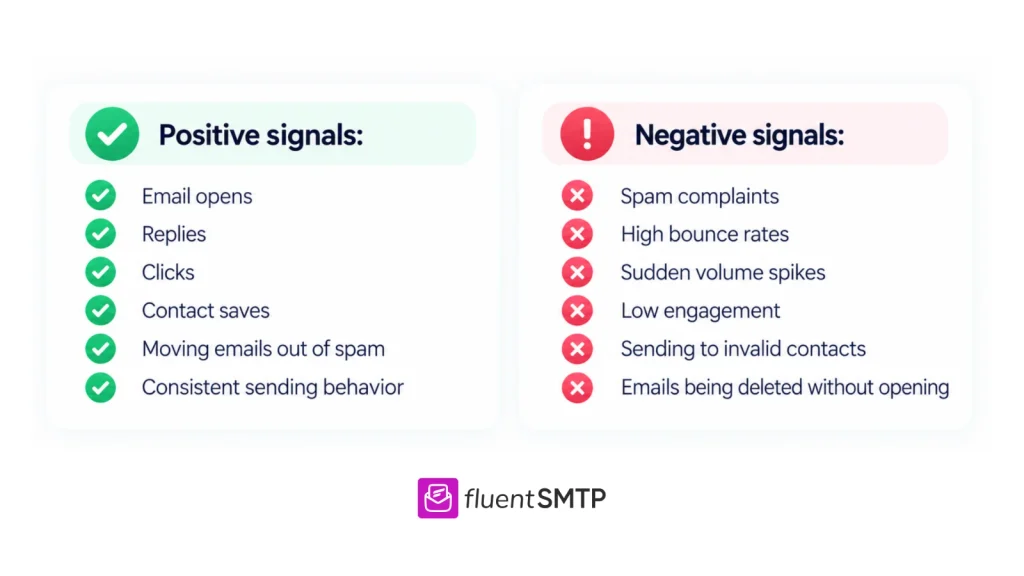
SendGrid’s guide says they look at how many recipients opened your email, scrolled to the bottom of it, or moved it to another folder.
- Positive signals include: email opens, replies, clicks, contact saves, moving emails out of spam, and consistent sending behavior.
- Negative signals include: spam complaints, high bounce rates, sudden volume spikes, low engagement, sending to invalid contacts, and emails being deleted without opening.
Mailbox providers also analyze behavior patterns over time.
A domain sending 20 emails daily and gradually increasing volume appears natural. A domain jumping from zero emails to thousands overnight often triggers spam filters immediately.
Before You Send: Authentication and Reverse DNS
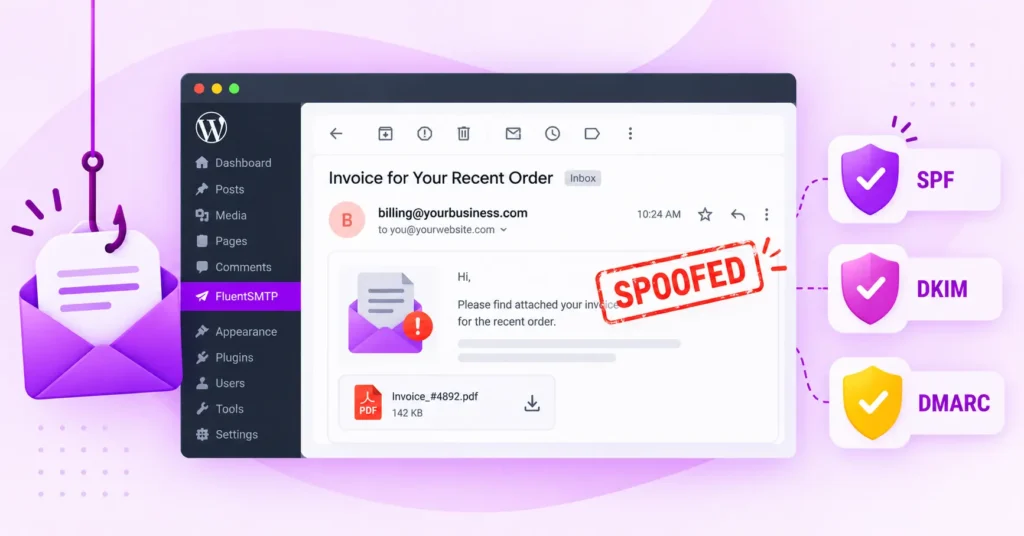
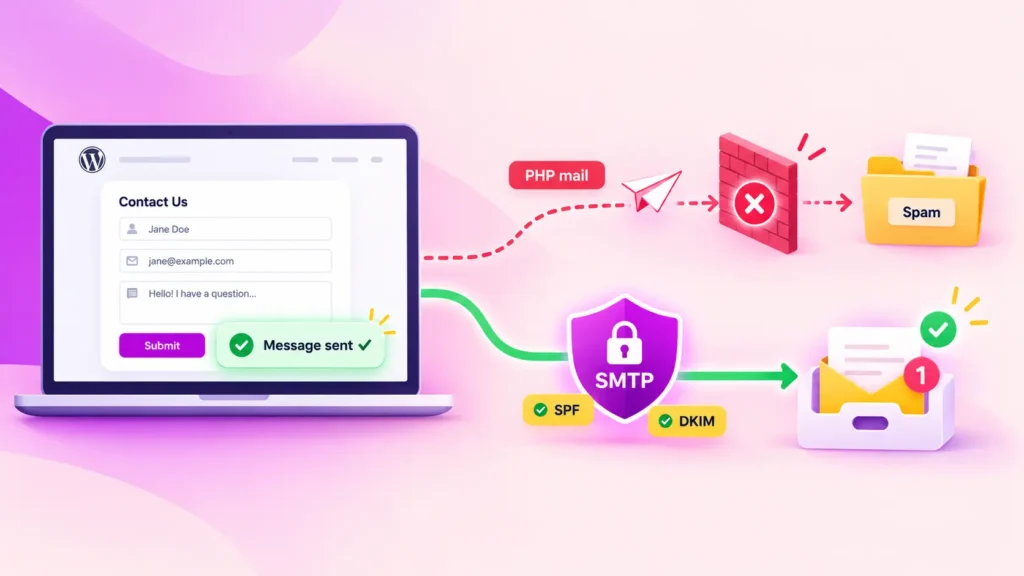
Before sending anything, whether you’re warming a domain or an IP, make sure your SPF, DKIM, and DMARC records are configured properly. This includes:
- SPF
- DKIM
- DMARC
These records help mailbox providers verify that your emails are legitimate and not spoofed. Without authentication, even good emails may struggle with deliverability.
Bonus Read:
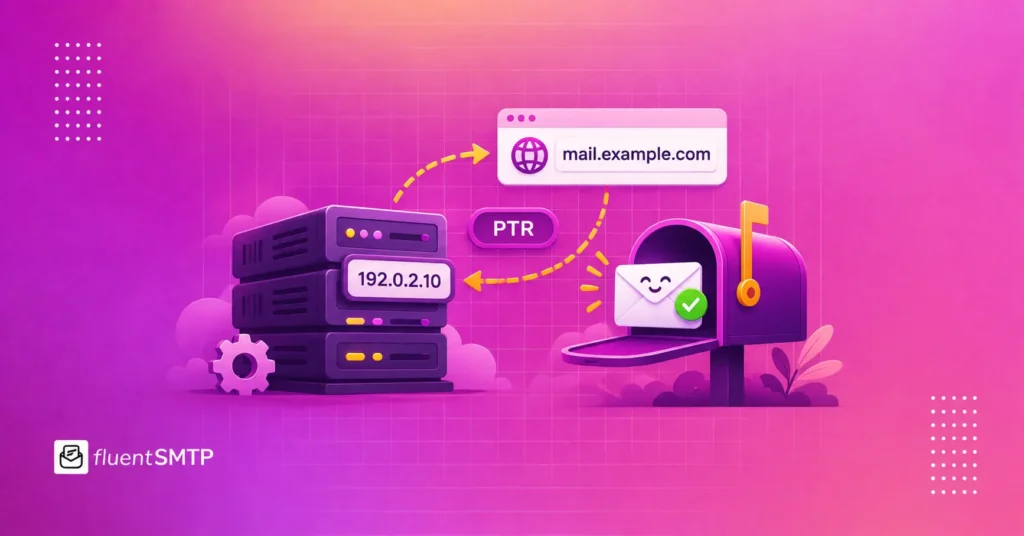
A dedicated IP needs one more record, which is reverse DNS. This is a PTR record that maps the IP address back to a hostname, and receiving servers check it because a sending IP with no reverse DNS looks like a compromised machine.
Most providers create it when they assign the IP, so your job is to confirm it’s in place in the provider’s dashboard rather than to build it yourself.
How to Warm Up an Email Domain
Warming up a domain properly is mostly about consistency, patience, and healthy engagement. Instead of rushing the process, focus on building trust gradually.
Step 1: Start With Small Sending Volumes
Once authentication is ready, begin with a very small number of emails daily. Avoid sending large campaigns immediately because sudden spikes often look suspicious to providers.
The goal during the early stage is not to scale. The goal is stability.
Step 2: Send Emails to Engaged Contacts First
Your first emails should go to people most likely to engage positively with your content. This may include: active subscribers, existing customers, recent leads, and loyal readers.
Positive engagement during early warm-up sends strong trust signals to mailbox providers.
Step 3: Increase Volume Gradually
As engagement remains healthy, slowly increase sending volume over time. Gradual growth patterns look far healthier than aggressive jumps.
Mailbox providers want to see natural sending behavior, not sudden scaling.
Step 4: Monitor Deliverability Carefully
Throughout the warm-up process, monitor: open rates, bounce rates, reply rates, spam complaints, inbox placement. If performance suddenly drops, slow down sending temporarily and review potential issues before scaling again.
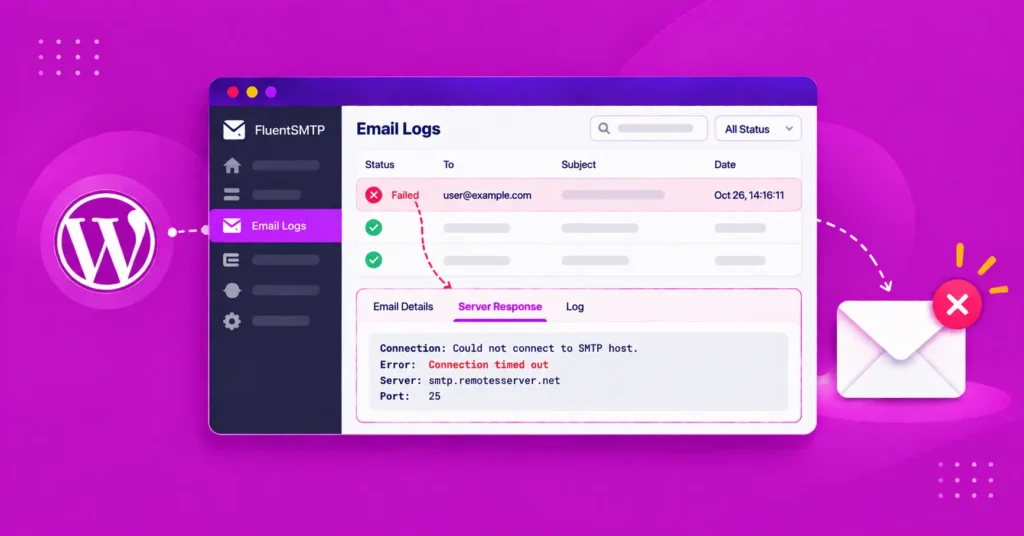
On the WordPress side, an email log shows exactly what left your site each day and which sends failed, which is the number you hold against your schedule.
Example Email Warm-Up Schedule
There is no universal formula for email warm-up because every business sends emails differently. However, gradual scaling is extremely important.
No provider publishes a ramp for domains alone, so the example below applies the same shape as SendGrid’s IP schedule. It starts with the 50 emails on day one that SendGrid uses in its own newsletter example, and it grows by about 40% a day, which is the step between each day of SendGrid’s hourly limits.
| Day | Daily volume (worked example) |
| 1 | 50 |
| 2 | 70 |
| 3 | about 100 |
| 4 | about 140 |
| 5 | about 190 |
| 6 | about 270 |
| 7 | about 375 |
| 10 | about 1,000 |
| 14 | about 4,000 |
You stop climbing when you reach your normal daily volume, because SendGrid describes the goal of warm-up as ramping up to your anticipated normal level rather than to some fixed number.
A WordPress site that sends 200 emails a day on a new domain reaches that point around day 5, and a site sending 20 a day is effectively warm from the start, provided those 20 go to people who expect them.
IP Warming: How to Warm Up a Dedicated IP
Besides domains, dedicated IP addresses also need a warm-up. Unlike shared IPs, where reputation is influenced by multiple senders, dedicated IP reputation depends entirely on your own behavior.
That gives businesses more control, but it also creates more responsibility.
IP warm-up works similarly to domain warm-up. You begin with smaller sending volumes, target engaged recipients first, and gradually increase activity over time.
A healthy IP warm-up process usually includes:
- low-volume sending initially
- gradual volume increases
- strong engagement focus
- clean email lists
- consistent sending behavior
One of the biggest IP warm-up mistakes is scaling too aggressively too early. A sudden jump in sending volume often damages trust before the IP has enough reputation history.
Check Whether Your Provider Warms the IP for You
Some providers run IP warming for you, so check your provider’s dashboard before building a schedule of your own.
SendGrid’s platform includes a built-in warm-up schedule that manages the hourly sending limit on a new IP as its reputation builds, and it slows the send rate when mailbox providers push back.
Amazon SES offers two kinds of dedicated IPs, and both let a set amount of traffic through the dedicated IP each day while the rest spills over into SES’s shared pool.
Standard dedicated IPs follow a fixed 45-day increase, while managed dedicated IPs adjust to how much mail each large mailbox provider will accept.
When automatic warm-up is on, the ramp is the provider’s job, and yours shrinks to sending to engaged recipients and watching the warning signs further down.
If you’re still connecting WordPress to one of these services, the SendGrid setup guide for WordPress and the Amazon SES setup guide come first.
An IP Warm-Up Schedule
An IP warm-up schedule raises volume on a steady curve, and the two published schedules below show the same shape at different scales.
SendGrid publishes an hourly limit that grows by about 40% a day. Amazon SES publishes a daily volume for each of the large mailbox providers (Gmail, Hotmail, Outlook, Yahoo, iCloud and AOL, plus everything else), which doubles through the first week, and it notes that the schedule assumes 40 to 60% engagement, so a list with lower engagement should go more slowly.
| Day | SendGrid hourly limit | Amazon SES daily volume per mailbox provider | Amazon SES daily total |
| 1 | 20 | 150 | 1,050 |
| 2 | 28 | 300 | 2,100 |
| 3 | 39 | 600 | 4,200 |
| 4 | 55 | 1,200 | 8,400 |
| 5 | 77 | 2,400 | 16,800 |
| 6 | 108 | 5,000 | 35,000 |
| 7 | 151 | 10,000 | 70,000 |
| 10 | 413 | 80,000 | 560,000 |
| 14 | 1,587 | 500,000 | 3,500,000 |
| 20 | 11,953 | 1,000,000 | 7,000,000 |
| 30 | 345,735 | 2,000,000 | 14,000,000 |
The numbers are built for large senders, so for a WordPress site what matters is the shape rather than the totals, and you stop climbing once you reach your normal volume.
Two other rules from these sources matter as much as the table. The first is that SendGrid suggests sending the first messages to internal addresses, such as your team’s personal Gmail accounts, before moving on to your most engaged recipients.
The second is that SendGrid says every mailbox provider should get a comparable share of mail each day, because warming Gmail on Monday and Yahoo on Tuesday looks sporadic rather than steady, and Amazon SES splits its schedule by provider because each one accepts new mail at a different rate.
Warming an IP From a WordPress Site
WordPress doesn’t send one kind of email; it sends several streams at once: order confirmations, password resets, form notifications, account emails and, on some sites, newsletters. They don’t behave the same way.
A password reset gets opened almost every time, because the person asked for it a minute ago, while a newsletter might go unopened by most of the list. That difference is useful during IP warming, because the streams people open most are exactly the traffic you want on a new IP first, and SendGrid notes that mailbox providers already give transactional email more leeway because they treat it as wanted mail.
So rather than switching everything over at once, move one stream at a time, which is also how SendGrid advises established senders to migrate: split the traffic and move small portions to the new IP over time.
There is one catch, which Amazon SES points out, and it’s that event-driven mail is hard to throttle, because you can’t tell WooCommerce to send fewer order confirmations. So before you move a stream, check how many emails it sends on a normal day, and move it only when that number fits inside the day’s allowance on your schedule.
Add the next stream once the first has run for several days without a rise in bounces or complaints.
How This Works Inside FluentSMTP
In FluentSMTP, this works through multiple connections. You add a second connection that uses the credentials or API key your provider tied to the dedicated IP, and you set its sender email to the address that stream sends from, for example, [email protected].
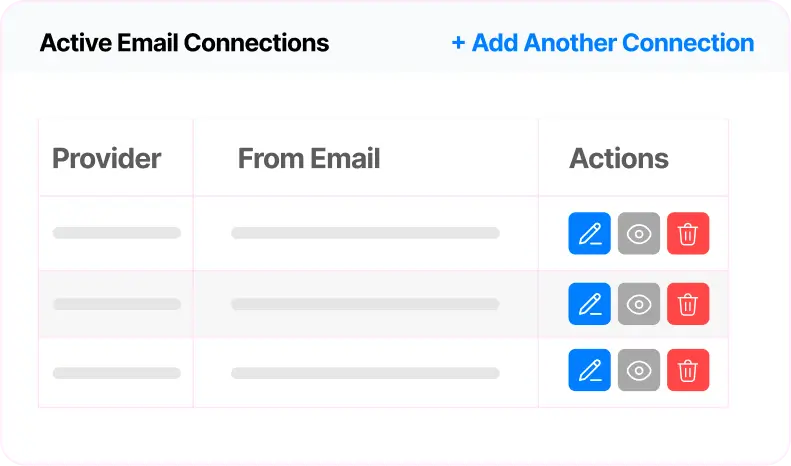
FluentSMTP picks a connection by the From address, so WooCommerce order emails go out through the new IP while everything else keeps using the existing connection.
If you use a different SMTP plugin, you can get the same split at the provider instead by giving the stream you’re moving its own credentials in the provider’s account, although the exact setting differs from one provider to the next.
Download FluentSMTP
(100% Free)
Get the most powerful SMTP plugin for free and hit the recipient’s inbox with your WordPress emails

Manual vs. Automated Email Warm-Up
Many businesses today use automated warm-up tools to simplify the warm-up process. These tools automatically send emails, create replies, and simulate engagement activity to improve sender reputation.
Manual warm-up, on the other hand, involves gradually managing sending activity yourself.
Both approaches have advantages.
Manual warm-up gives businesses more control and generates more authentic engagement. Automated tools help maintain consistency and reduce manual work, especially for outreach teams or businesses sending larger volumes.
However, mailbox providers are becoming increasingly advanced at identifying artificial engagement patterns. That means genuine interaction from real recipients still matters more than automated signals alone.
For many businesses, a balanced approach works best. Automated tools can support consistency, but authentic engagement should remain the foundation of any warm-up strategy.
Best Practices for Successful Email Warm-Up
Successful warm-up depends on more than just sending slowly. Your overall email quality and sending habits matter equally.
Start With Your Most Engaged Contacts
One of the smartest ways to build a reputation quickly is by sending emails first to people who already interact positively with your business.
Existing customers, active subscribers, and recent leads are far more likely to open, reply to, and engage with your emails. Those positive interactions help mailbox providers trust your domain faster.
Sending to cold or inactive audiences too early often creates weak engagement signals and increases deliverability risks.
Keep Your Email List Clean
List quality plays a huge role in evaluating sender reputation. Poor-quality email lists often contain invalid addresses, fake signups, outdated contacts, or inactive subscribers.
High bounce rates and low engagement send negative trust signals to mailbox providers and may lead to email blacklisting. That’s why regularly cleaning your email list is essential during warm-up.
Removing inactive contacts can dramatically improve:
- engagement quality
- inbox placement
- sender reputation
- campaign performance
Maintain Consistent Sending Patterns
Consistency matters more than aggressive growth.
Mailbox providers prefer stable sending behavior because it looks more natural and trustworthy. Sudden spikes in volume often trigger spam filters, even when the emails themselves are legitimate.
Instead of sending huge campaigns unpredictably, maintain gradual and steady growth patterns over time.
Monitor Engagement and Deliverability
Warm-up should never run blindly.
Track important metrics regularly, including open rates, reply rates, bounce rates, spam complaints, and inbox placement.
Small deliverability problems can become much bigger if ignored for too long. Monitoring performance early helps you adjust before reputation damage becomes serious.
Avoid Scaling Too Fast
One of the most common warm-up mistakes is impatience.
Many businesses try to increase volume too quickly because they want faster results. Unfortunately, mailbox providers often interpret aggressive scaling as suspicious behavior.
Building a reputation takes time. Gradual trust-building almost always performs better than rushing the process.
Warning Signs During Warm-Up
Even businesses following best practices can face deliverability problems during warm-up.
On a new IP, the earliest warning usually isn’t spam placement; it’s deferral.
The receiving server answers with a 4xx code, which is a temporary “try again later”, and your provider queues the message and retries!
The SMTP error code guide explains what each code in that family means
A few deferrals on the first days are normal, while a steady rise means your volume has got ahead of your reputation. The rule both providers give is the same: if you get throttled, or bounces or complaints rise, keep tomorrow’s volume the same as today’s, or reduce it, until things settle.
Another common issue is high bounce rates.
This usually happens because of outdated or low-quality email lists. Too many bounced emails quickly damage sender reputation and reduce provider trust.
Spam complaints also need the closest watch.
Because Google’s sender guidelines ask bulk senders to keep their complaint rate below 0.1% and never let it reach 0.3%, and a new IP has no history to absorb a bad day.
Amazon SES also points out that a changed sending identity makes some recipients hit the spam button simply because they don’t recognise it. If you land on a blocklist during warm-up, stop increasing volume and follow the blacklist removal steps before you go any further.
Spam folder placement is another major warning sign.
If emails suddenly begin landing in spam, possible causes may include poor engagement, missing authentication, aggressive sending behavior, weak email quality, and unhealthy contact lists.
Sudden drops in open rates can also indicate inbox placement problems. In many cases, businesses continue sending emails normally without realizing providers have quietly reduced inbox visibility.
How to Maintain Sender Reputation After Warm-Up
One of the biggest misconceptions about email warm-up is that it ends after a few weeks.
In reality, sender reputation constantly changes.
Even trusted domains can lose reputation if sending behavior suddenly becomes unhealthy. That’s why maintaining good deliverability habits long-term is just as important as the initial warm-up process.
To maintain a strong sender reputation:
- keep sending patterns consistent
- clean email lists regularly
- monitor engagement continuously
- review authentication settings periodically
- avoid sudden volume spikes
Mailbox providers continuously evaluate sender behavior and sender score, so reputation management should become an ongoing part of your email strategy.
Build Trust Before Scaling Emails
Email warm-up has become one of the most important parts of modern email deliverability. In today’s stricter email ecosystem, mailbox providers care deeply about sender trust, engagement quality, and sending behavior.
That means rushing the process almost always creates problems.
Focus on healthy engagement, clean email lists, proper authentication, and consistent sending behavior. The stronger your sender reputation becomes, the easier it becomes to reach inboxes consistently and improve long-term email performance.
Frequently Asked Questions

Aminul Islam
Hi! Nice to meet you. I’m a guy who loves to explore, learn, and share knowledge. I spend most of my time catching up with marketing tips & tricks. When I’m not busy with any of these, you’ll find me with a book, exploring the city, or playing my favorite games.
Table of Content
Subscribe To Get
WordPress Guides, Tips, and Tutorials

Add your first comment to this post