

Email Sender Reputation: What It Is and How to Protect It in 2026

If your emails are being sent but not getting results, sender reputation might be the hidden reason.
It is one of the most important parts of email marketing, yet most people do not notice it until something goes wrong. You can have a strong offer, great copy, and perfect timing. But if email providers do not trust you, your emails may never reach the inbox.
Instead, they may land in spam, promotions, or get filtered without you even realizing it.
In simple terms, sender reputation is how much inbox providers like Gmail, Outlook, and Yahoo trust you as a sender. That trust decides whether your emails get seen or ignored.
In this guide, you will learn what email sender reputation is, why it matters, what affects it, and how to protect it with clear and practical steps.
What Is Email Sender Reputation?
Email sender reputation is a trust score that email providers build based on your sending behavior and how people interact with your emails.
Think of it as your email sending history.
Every email you send creates signals. Over time, those signals tell inbox providers whether:
- People want your emails
- Your sending behavior is stable
- Your emails are safe and relevant
A strong sender reputation means your emails are trusted and more likely to reach the inbox.
A weak sender reputation means your emails may:
- Go to spam
- Get filtered into less visible tabs
- Be blocked completely
The key point is this: sender reputation is not based on one campaign. It is built over time through consistent behavior.
Why Email Sender Reputation Matters for Deliverability
Deliverability is the ability of your emails to reach the inbox, and sender reputation is one of the biggest factors behind it.
| When your reputation is strong | When your reputation is weak |
| Emails land in the inbox more often | Emails go to spam or promotions |
| Open rates stay stable | Open rates drop |
| Engagement improves | Engagement declines |
When your sender reputation is low, it creates a chain reaction: Lower inbox placement → fewer opens → fewer clicks → weaker engagement → further damages reputation.
Sender Score vs Sender Reputation
You may hear about “Sender Score” when learning about email deliverability. It is important to understand the difference.
- Sender Score is a number from third-party tools
- Sender Reputation is what inbox providers actually use
In simple terms:
- Sender Score = estimate
- Sender Reputation = real trust
Sender Score can help you identify problems, but it is not the final decision-maker. Inbox providers rely on their own data and signals.
Domain Reputation vs IP Reputation
Sender reputation comes from two main sources: domain and IP.
Domain reputation is tied to your domain, such as yourcompany.com. It reflects how your brand behaves over time and how users respond to your emails.
IP reputation, on the other hand, is linked to the server that sends your emails. It matters more when you use a dedicated IP or send large volumes of emails.
While domain reputation is often the stronger long-term signal, both domain and IP reputation work together. A problem in either one can affect your deliverability.
And if your email deliverability got affected, here are some proven ways to bring it back on track.
Key Factors That Affect Sender Reputation
Inbox providers rely on multiple signals to decide whether your emails are trustworthy. These signals work together rather than independently.
- Bounce rate: One of the strongest signals is bounce rate. When emails fail to deliver, it suggests poor list quality. A high bounce rate quickly reduces trust.
- Spam complaints: Spam complaints are another major factor. When users mark your email as spam, it sends a strong negative signal. Even a small number of complaints can have a noticeable impact and send emails to spam.
- Engagement: Engagement also plays an important role. When people open, click, reply, or interact with your emails, it tells providers that your content is relevant. On the other hand, consistently low engagement can weaken your reputation over time.
- List quality: List quality is equally critical. A clean, permission-based list builds trust, while purchased or outdated lists often lead to poor results and higher risk.
- Sending behavior: Sending behavior also matters. Sudden spikes in volume or irregular patterns can look suspicious. Providers prefer senders who are consistent and predictable.
- Spam traps and blocklists: Another important but often overlooked factor is spam traps and blocklists. Poor list practices can lead to hitting spam traps, which can severely damage your reputation and even get your domain or IP blocked.
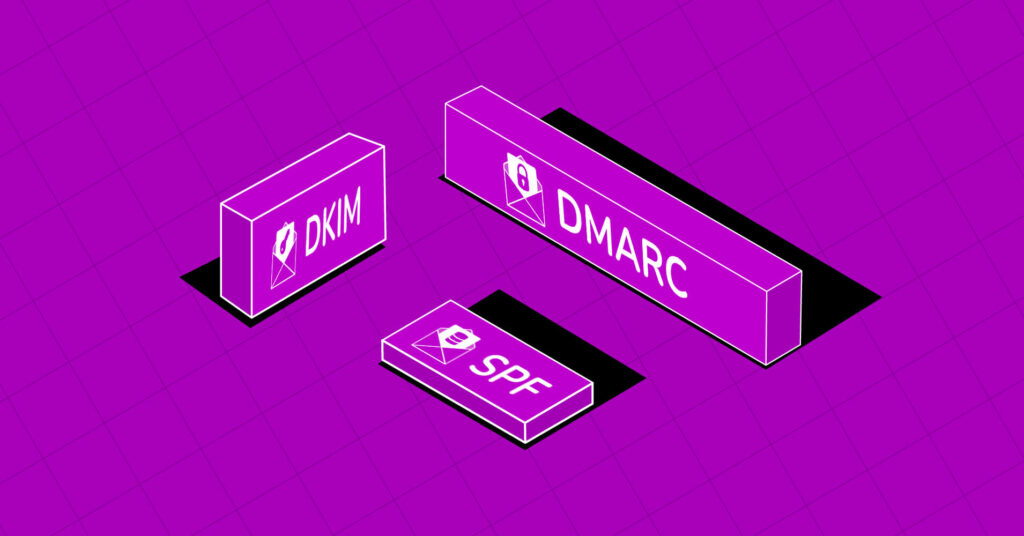
- Email Authentication: Finally, email authentication helps confirm your identity. Proper setup with SPF, DKIM, and DMARC ensures that your emails appear legitimate and trustworthy.
Common Mistakes That Damage Sender Reputation
Most reputation issues come from avoidable mistakes. These are:
- Sending to old or unverified lists
- Buying email lists
- Sending too many emails too quickly
- Ignoring low engagement
- Using misleading subject lines
- Not cleaning inactive users
These mistakes reduce trust over time.
Signs Your Sender Reputation Is Poor
Sender reputation issues often show clear warning signs if you know where to look.
You may notice that your emails are landing in spam more frequently than before. Open rates may suddenly drop without any obvious reason. Bounce rates or spam complaints may start increasing.
Another common signal is inconsistent performance across providers. For example, your emails may perform well in Gmail but poorly in Outlook.
Authentication issues or warnings can also indicate deeper problems.
These signs should not be ignored, as they often appear before more serious deliverability issues.
How to Check Your Email Sender Reputation
You do not need advanced technical skills to monitor your sender reputation. There are practical ways to keep track of it.
Start by observing your email performance metrics. Open rates, click rates, bounce rates, and complaints can reveal trends over time. Instead of focusing on a single campaign, look for patterns.
You can also check inbox placement by testing where your emails land. If more emails start going to spam or promotions, it may indicate a reputation issue.
Using dedicated tools can provide deeper insights. Some widely used options include:
- Google Postmaster Tools for domain reputation and spam rate insights
- Microsoft SNDS for IP reputation monitoring
- Sender Score by Validity for a general reputation estimate
These tools help you detect issues early and understand how inbox providers view your emails.
Another useful method is sending emails to a small group of engaged subscribers first. If performance drops even in this group, the issue may be broader.
You can also ask subscribers directly if they are receiving your emails. Sometimes, real feedback reveals problems faster than metrics.
What Changed for Senders in 2026
Email sending rules have become stricter in recent years. Inbox providers now expect higher standards from senders, especially those sending large volumes of emails.
- Set up proper authentication using SPF, DKIM, and DMARC
- Keep spam complaint rates low (ideally below 0.1%)
- Provide a clear and easy unsubscribe option
- Maintain consistent sending patterns
- Ensure your sender identity is valid and aligned
For high-volume senders, usually those sending over 5,000 emails per day, these requirements are even more important. Emails that do not meet these expectations may be sent to spam or blocked entirely.
This shift means sender reputation is no longer just about good practices. It is also about meeting basic compliance standards.
A reliable compliance management solution helps organizations maintain regulatory standards, strengthen governance, and build the trust needed to protect their sender reputation.
Step-by-Step Ways to Improve and Protect Your Sender Reputation
Improving sender reputation does not require complex tactics. It requires consistency and discipline. Here are step-by-step tips to improve your email sender reputation and maximize email marketing impact:
Start with List Quality (This Is Your Foundation)
Your email list is the biggest factor behind your sender reputation.
If your list contains invalid, outdated, or unengaged contacts, everything else will struggle to work. Poor list quality leads to high bounce rates, low engagement, and spam complaints, all of which damage your reputation quickly.
To fix this, you need to actively maintain your list:
- Remove hard bounces immediately
- Suppress inactive users (30–60 days of no engagement is a good starting point)
- Never use purchased or scraped lists
- Use double opt-in when possible
A smaller but engaged list will always outperform a large inactive one.
Set Up Proper Authentication (Non-Negotiable in 2026)
Authentication is no longer optional. It is now a requirement. Email providers like Gmail and Yahoo expect all senders, especially bulk senders, to properly authenticate their emails. Without this, your emails may be filtered or rejected.
Make sure you have:
- SPF (verifies sending servers)
- DKIM (ensures message integrity)
- DMARC (adds policy and alignment)
Also, ensure your domain alignment is correct. This means your “From” domain matches your authentication setup. If this is not configured properly, nothing else will work consistently.
Bonus: If you have no idea about SPF, DKIM, or DMARC, then this guide will help you.
Keep Spam Complaint Rates Extremely Low
Spam complaints are one of the strongest negative signals.
Inbox providers recommend keeping spam complaint rates:
- Ideally below 0.1%
- Never reaching 0.3%
If your complaint rate rises:
- Your emails may go to spam
- Your domain reputation can drop quickly
- You may get throttled or blocked
To reduce complaints:
- Send only to people who expect your emails
- Avoid misleading subject lines
- Make your unsubscribe option clear and visible
Remember: it is always better for someone to unsubscribe than mark you as spam.
Warm Up Your Domain and Scale Gradually
If you are using a new domain or sending system, you cannot start with high volume immediately.
Sudden spikes in sending volume look suspicious to inbox providers and may trigger spam filters.
Instead:
- Start with a small number of emails (10–50 per day)
- Focus on your most engaged users first
- Increase volume gradually (20–25% growth is a safe approach)
This process builds trust slowly and safely.
Focus on Engagement First, Not Volume
Many people try to fix performance by sending more emails. That usually makes things worse.
Inbox providers care more about how people interact with your emails than how many you send.
If engagement is low:
- Reduce your sending volume
- Improve your targeting
- Focus on relevance
You can improve engagement by:
- Writing clearer, honest subject lines
- Delivering value in the first few lines
- Sending content that matches user intent
Avoid spammy language or overhyped phrases, as they can trigger filters and reduce trust.
Maintain a Consistent Sending Pattern
Consistency builds trust. Inbox providers prefer senders who follow predictable patterns. Irregular behavior can look suspicious.
Avoid:
- Sending nothing for weeks, then blasting thousands of emails
- Random spikes in volume
- Inconsistent scheduling
Instead:
- Choose a steady cadence (daily, weekly, etc.)
- Stick to a predictable volume range
This makes your behavior easier to trust.
Clean and Re-Engage Inactive Users
Inactive users silently damage your sender reputation.
If people stop opening your emails and you keep sending to them, your engagement signals weaken.
To fix this:
- Identify inactive users (30–90 days of no engagement)
- Run a re-engagement campaign
- Remove users who do not respond
This keeps your engagement signals strong and your reputation stable.
Monitor Your Reputation with the Right Tools
You cannot improve what you do not measure.
Use tools that show how inbox providers view your domain and IP:
- Google Postmaster Tools (Gmail reputation, spam rate)
- Microsoft SNDS (Outlook data)
- Sender Score (general reputation indicator)
- Blacklist checkers like MXToolbox
These tools help you detect early issues, monitor spam complaints, and track authentication success. Regular monitoring prevents small issues from becoming major problems.
Watch for Spam Traps and Blocklists
Spam traps are designed to catch senders with poor list practices.
If you hit spam traps:
- Your reputation drops quickly
- You may get blocklisted
Blocklists can:
- Block your emails completely
- Severely reduce deliverability
To avoid this:
- Never use scraped or purchased emails
- Regularly clean your list
- Use verified email collection methods
Follow 2026 Sender Requirements
Email providers have tightened rules significantly. To stay compliant, you must:
- Authenticate emails (SPF, DKIM, DMARC)
- Include one-click unsubscribe in marketing emails
- Keep spam complaints below threshold
- Maintain list hygiene
- Avoid deceptive practices
Non-compliant emails may be delayed, sent to spam, or rejected completely. Remember, sender reputation is now directly tied to compliance.
Fix Problems the Right Way (If Reputation Drops)
If your sender reputation is already damaged, do not panic, but act carefully.
Follow this recovery approach:
- Pause risky campaigns (especially to cold or inactive users)
- Identify which provider is affected (Gmail, Outlook, etc.)
- Send only to highly engaged users
- Reduce volume temporarily
- Fix list quality issues
Rebuilding trust takes time, but it is possible with consistent effort.
Conclusion
Email sender reputation is the foundation of successful email marketing. If your emails are underperforming, this is one of the first things you should check. Without a strong reputation, even the best campaigns can fail.
The solution is simple but requires consistency. Keep your list clean, send to the right people, focus on engagement, and maintain stable sending habits.
Over time, these actions build trust.
And when inbox providers trust you, your emails get delivered, your audience engages, and your results improve. That is what a strong sender reputation makes possible.

Aminul Islam
Hi! Nice to meet you. I’m a guy who loves to explore, learn, and share knowledge. I spend most of my time catching up with marketing tips & tricks. When I’m not busy with any of these, you’ll find me with a book, exploring the city, or playing my favorite games.
Table of Content
Subscribe To Get
WordPress Guides, Tips, and Tutorials


Add your first comment to this post