


IP Reputation vs Domain Reputation: What’s the Real Difference?

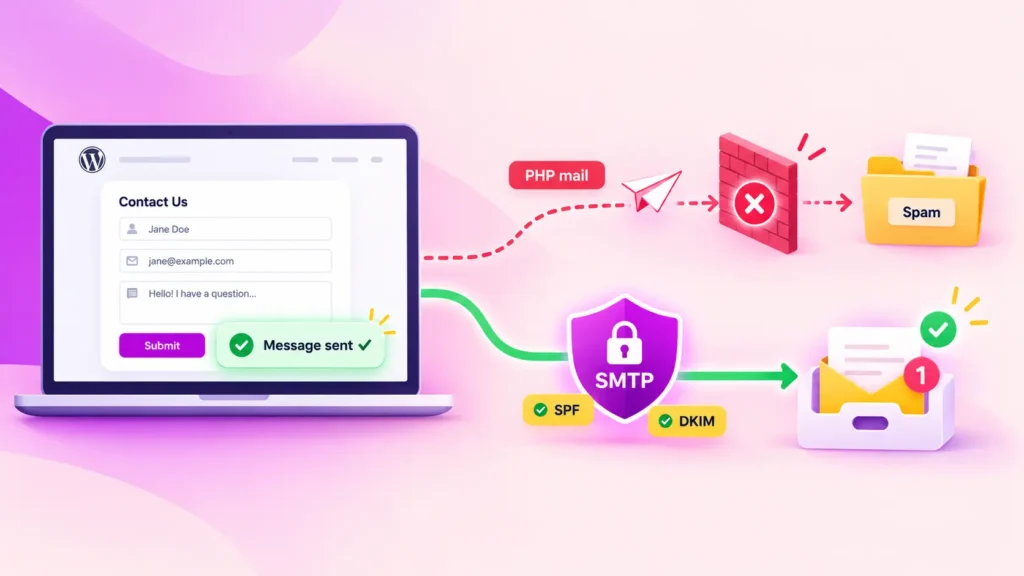
Two emails go out from the same WordPress site on the same day. One lands in the inbox, the other lands in spam. Why?
The answer comes down to two scores most senders confuse with each other: IP reputation and domain reputation.
They sound similar; they are tracked together, and they both decide whether your email reaches the inbox. But they are not the same!
- One follows your server, the other follows your brand
- One can be reset, the other cannot
- One is largely out of your hands, the other is mostly in your control
This guide will explain what each one is, how they actually differ, and which one matters more. We will also cover what you can do to protect both, especially if you are sending email from a WordPress site through a shared mail provider.
Let’s go!
What is IP Reputation?
IP reputation is the trust score assigned to the server address that sends your emails.
Every time an email leaves a mail server, that server has a specific IP address. Mailbox providers like Gmail, Yahoo, and Outlook track the sending behavior tied to that address. Over time, they build a picture. And that picture becomes the IP reputation.
Good behavior over weeks and months earns trust. Bad behavior burns it down fast. And, for most senders, IP reputation works in one of two ways.
- Shared IP reputation: If you send through a shared IP, your reputation is mixed with everyone else using that IP. Most WordPress users sending email through services like SendGrid, Mailgun, Postmark, Amazon SES, or Gmail SMTP are on shared IPs. The provider manages this pool. You benefit from their overall good reputation but can also suffer if a few senders on the same IP misbehave.
- Dedicated IP reputation: If you send through a dedicated IP, the IP is yours alone. You get full control. You also bear full responsibility. Dedicated IPs typically make sense only at high sending volumes, usually above 100,000 emails per month.
If you are not sure which one you have, you almost certainly have a shared IP! For a deeper understanding, read our guide on shared vs. dedicated IPs.
What is Domain Reputation?
Domain reputation is the trust score attached to your sending domain.
Your domain is the part people recognize, like yourdomain.com. It appears in your “From” address, DKIM signature, and DMARC alignment.
Mailbox providers build a reputation around that domain separately from the server or IP that sends the email. This is important because your domain reputation follows you! Move from SendGrid to Postmark? Switch SMTP providers? Change servers?
Your domain reputation does not reset. It stays with the domain.
And that makes domain reputation more personal. It is not just about the server you used today. It is about the sending history attached to your brand.
IP Reputation vs Domain Reputation: The Fundamental Difference
If you remember only one thing from this article, remember this: IP reputation is tied to a server. Domain reputation is tied to your brand. That difference changes everything about how you protect each one.
An IP can be swapped, rented, rotated, or replaced. Mailbox providers know this. A spammer with a bad IP can buy a clean one tomorrow and start fresh. So IP reputation, by itself, is a weak long-term signal.
A domain is much harder to replace. You cannot easily switch yourdomain.com to a brand-new domain without losing your customer trust, your search rankings, and your brand recognition. Mailbox providers know this too. So a domain’s history is a stronger and more reliable signal of who you really are.
Recovery times tell the same story.
A damaged IP reputation can usually be repaired in 2 to 4 weeks of clean sending. A damaged domain reputation can take 6 to 12 weeks or more. Some serious domain reputation hits never fully recover.
This asymmetry is why you should care more about domain reputation than IP reputation. It is harder to build. It is harder to lose. And once you lose it, it is harder to win back.
Why Domain Reputation Now Dominates
Until roughly 2015, IP reputation was the main signal mailbox providers used.
The thinking was simple: mail comes from servers. So, track the servers, trust the good ones, and block the bad ones!
But spammers figured out how to rotate IPs cheaply. They would send a million emails from a fresh IP, get blacklisted, abandon the IP, and switch to a new one. By the time mailbox providers caught up, the damage was done.
So the major providers shifted their thinking.
Gmail led the way! They started weighting domain reputation more heavily than IP reputation, because a domain is much harder to abandon. Today, in 2026, domain reputation is the dominant signal at every major consumer mailbox provider.
There is one more recent change worth knowing about.
In September 2025, Google retired the original Google Postmaster Tools. The new version, called Postmaster Tools v2, focuses on compliance status rather than visible reputation scores. The old “Domain Reputation” and “IP Reputation” dashboards are gone. The signals still exist behind the scenes, but the way you monitor them has changed.
We will cover the new tools later in this article.
What You Can Actually Control
If you send email from a WordPress site, here is the honest reality: your IP reputation is mostly not in your hands.
You are almost certainly on a shared IP managed by your email service. Whether that IP has a strong reputation depends on the provider’s overall management, the behavior of every other sender on the same IP, and the provider’s own filtering policies. You can change providers if your current one has poor IP reputation. That is the extent of your influence.
Your domain reputation, on the other hand, is almost entirely in your hands.
You control your authentication setup. You control who you send to. You control how often you send, what you send, and how clean your list is. Every signal that builds domain reputation is something you can influence directly.
This is why the practical advice is the same for almost every WordPress sender: Stop worrying about IP reputation, focus on domain reputation!
If you must worry about something IP-related, worry about which email service provider you use. Pick one with a strong shared IP reputation. After that, your time is better spent on the domain side.
How Email Authentication Shapes Domain Reputation
Email authentication is the foundation of domain reputation.
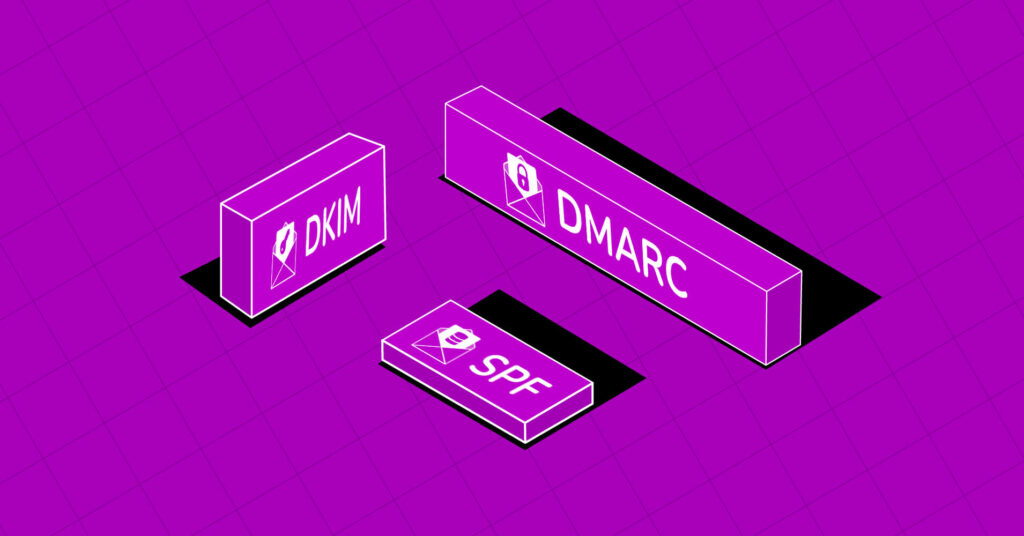
When you publish SPF, DKIM, and DMARC records, you are doing two things. You are stopping people from spoofing your domain. And you are giving mailbox providers a way to confidently attribute every email to you.
Without authentication, mailbox providers cannot reliably link an email to your domain. They might assume it is a spoof. They might give the benefit of the doubt. Either way, the signals they collect are weaker and less useful for building a strong reputation.
With strong authentication, every email you send becomes a vote for or against your domain reputation. Here is how each piece contributes;
- SPF confirms that your email came from an authorized server. A passing SPF signals that your sending infrastructure is professionally managed.
- DKIM cryptographically signs your emails. A passing DKIM check confirms your domain was the real sender, and the message has not been tampered with in transit.
- DMARC tells mailbox providers what to do when SPF or DKIM fail. It also confirms alignment between the sender domain and the visible “From” address. Without DMARC at p=quarantine or p=reject, attackers can spoof your domain freely and damage your reputation while you watch
- MTA-STS and TLS-RPT add transport-layer security to inbound mail. They do not directly affect outbound domain reputation, but they signal that your domain is professionally managed end to end. Mailbox providers notice.
- BIMI adds brand verification on top of strong DMARC. It does not directly improve domain reputation, but it amplifies the trust signals once your reputation is strong.
These five layers, when set up correctly, form the strongest domain reputation signals available to any sender. For a better understanding, check out our detailed guide on email authentication.
What Else Affects Domain Reputation
Authentication alone is not enough. Mailbox providers also watch what you do with that authenticated sending. Here are the signals they weigh most;
- Engagement: When recipients open, reply, click, or move your messages from spam to inbox, your domain reputation goes up. When they delete without opening, mark as spam, or ignore, it goes down.
- Complaints: A spam complaint is a strong negative signal. Most mailbox providers expect complaint rates below 0.10 percent. Anything above 0.30 percent triggers serious filtering.
- Bounces: Sending to invalid addresses tells mailbox providers your list is dirty. Hard bounce rates above 2 percent damage reputation. Above 5 percent gets you throttled or blocked.
- Spam traps: These are dead email addresses that mailbox providers monitor specifically to catch spammers. Hitting even one or two can hurt. Hitting many will destroy your domain reputation.
- Sending consistency: Big spikes look like spam. Long gaps followed by sudden volume look like a dormant domain being hijacked. Steady, predictable patterns build trust.
- List hygiene: Removing unengaged subscribers, validating new sign-ups, and avoiding purchased lists protect your reputation.
Notice what is missing from this list: which IP you send from. None of these signals are about the IP. All of them are about how you behave as a domain.
How to Monitor Both Reputations
You cannot fix what you cannot see. Here are the tools that actually work in 2026.
- Google Postmaster Tools v2 (Free): It shows compliance status, authentication pass rates, spam rates, and delivery errors. The old “Reputation” dashboard is gone, but the underlying signals still drive Gmail’s decisions. This is the single most important tool for any sender targeting Gmail.
- Microsoft SNDS (Free): It provides IP-level data for Outlook and Hotmail recipients. Useful if you run a dedicated IP. Less useful on shared IPs since you only see your provider’s overall metrics.
- Yahoo Sender Hub (Free): Domain-focused reputation signals for Yahoo recipients.
- DMARC reports: Your existing DMARC rua= reports show you which servers are sending mail claiming to be from your domain. Spikes in unauthenticated sends often signal spoofing attempts that can damage your reputation.
- Third-party tools: Services like GlockApps, MXToolbox, Talos Intelligence, and Sender Score provide reputation views from independent sources. Useful for second opinions but not authoritative. Mailbox providers use their own internal systems, not these scores.
For most WordPress site owners, the practical setup is simple. Verify your domain with Google Postmaster Tools v2. Read your DMARC reports weekly. That covers 80 percent of the visibility you need. If you do not yet read these reports, see how to read DMARC reports.
What to Do If Your Reputation is Damaged
Damaged IP reputation and damaged domain reputation need different recovery approaches.
Recovering IP reputation
If you are on a shared IP and the IP has poor reputation, you have limited options.
- Switch to a different mail provider with better shared IP pools.
- Switch to a different sending pool within the same provider (some providers segment IPs by sending behavior).
- Contact your provider’s deliverability team if your sending is clean but your IP is being dragged down by others.
If you are on a dedicated IP, the steps are clearer. Stop sending to inactive subscribers. Clean your list aggressively. Reduce volume back to engaged subscribers only. Watch your bounce and complaint rates. Expect 2 to 4 weeks before reputation recovers.
Recovering domain reputation
This is the harder problem. The fix is behavioural, not technical. You cannot remove yourself from a domain reputation list. There is no support team to call. The only path is to consistently demonstrate good sending behavior for weeks or months.
Steps that actually work:
- Reduce sending volume immediately to your most engaged subscribers only
- Pause any campaigns targeting cold or inactive lists
- Verify authentication is set up correctly with SPF, DKIM, and DMARC at p=reject
- Clean your list using a verification service
- Send relevant content that drives opens, clicks, and replies
- Stay consistent for at least 6 to 12 weeks before expecting recovery
There are no shortcuts. Domain reputation is rebuilt through sustained good behavior, not through quick fixes.
The Practical Action Plan for WordPress Senders
If you take only one set of actions away from this article, take these.
- Set up SPF, DKIM, and DMARC properly: This is the foundation. If you skip it, nothing else matters. Start with our complete guide on SPF, DKIM, and DMARC.
- Move DMARC to enforcement: A policy of p=none does nothing to protect your domain reputation. Move to p=quarantine, then p=reject, once you trust your authentication setup.
- Verify your domain with Google Postmaster Tools v2: Five minutes. Single best monitoring tool you have.
- Clean your sending list: Remove inactive subscribers. Validate new sign-ups. Never buy lists.
- Send consistent, wanted email: Engagement is the strongest positive signal you can generate.
- Stop obsessing over your IP: If you are on shared infrastructure (which you almost certainly are), your time is better spent on domain reputation.
Do these six things, and you will outperform 90 percent of senders who spend their time worrying about the wrong thing.
Final Thoughts
IP reputation still matters. But for most WordPress senders, it is not the main thing to obsess over.
Your IP belongs to the server. Your domain belongs to your brand. That’s why domain reputation matters more in the long run.
It follows you across tools, providers, and campaigns. It reflects how people respond to your emails. And once it gets damaged, it takes real effort to rebuild.
So if your emails are landing in spam, do not just ask, “Is my IP clean?”
Ask better questions.
- Is my domain authenticated properly?
- Are people engaging with my emails?
- Am I sending to the right list?
- Are complaints and bounces under control?
- Is my domain building trust or slowly losing it?
That is where the real answer usually sits.
That’s all. Have a good day.
Nader Chowdhury
Table of Content
Subscribe To Get
WordPress Guides, Tips, and Tutorials




Add your first comment to this post