

FluentSMTP 2.3.0: Cloudflare Email, Connection Health Alerts, and a Real Test Suite

Every few releases, I like to write one of these properly, because a changelog tells you what changed and rarely tells you why. FluentSMTP 2.3.0 is out today, and this one is bigger than the version number suggests.
Here is what shipped, and more importantly, what it fixes for you.
The failure you never see
Let me start with the feature I care about most, because it comes from a support pattern we have watched for years.
Someone connects Gmail or Outlook to FluentSMTP. It works. Months pass. The site is quiet. Then one day the OAuth grant is revoked, or the token chain breaks, or somebody rotates an API key in wp-config.php and forgets that FluentSMTP was reading it.
Nothing happens. No error, no notice, no email. The connection sits there looking perfectly healthy in the dashboard.
You find out three weeks later when a customer says they never got their password reset. And by then the email is gone — it was never queued, never retried, it just did not send.
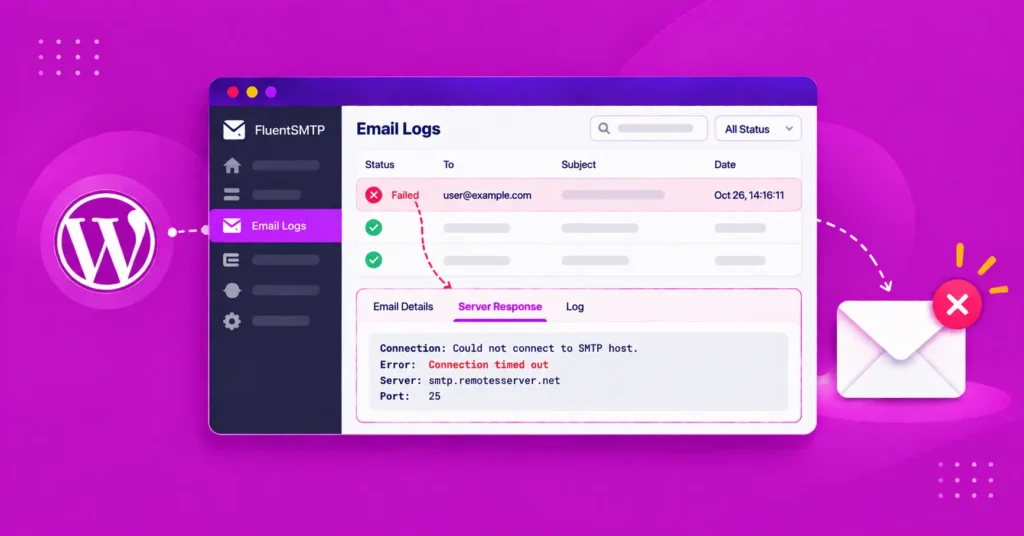
FluentSMTP now checks every connection once a day. If one starts failing, you see it on the dashboard and you get a message on whichever notification channel you already set up — Telegram, Slack, Discord, or Pushover.
Two details I want to point out, because they are the difference between a useful alert and one you learn to ignore:
- Only newly broken connections notify. If a connection has been down for a week and you already know about it, we do not message you every single morning. You get told once, when the state changes.
- OAuth connections are checked by actually renewing the token. An unexpired token sitting in your database tells you nothing about whether the grant behind it still exists. The only way to know is to ask. So we ask.
That daily pass also quietly fixed a real weakness. The scheduled events that keep OAuth tokens fresh were only ever re-armed by a successful renewal. One failure and the chain ended silently. Now there is a daily safety net underneath it.
Cloudflare Email Sending
FluentSMTP now connects natively to Cloudflare Email Sending through their REST API.
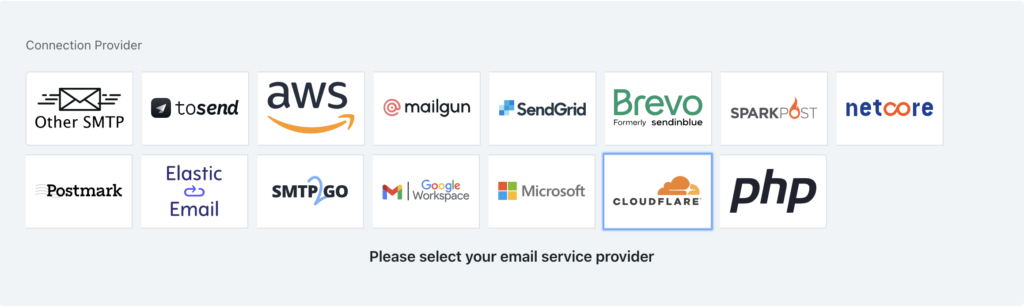
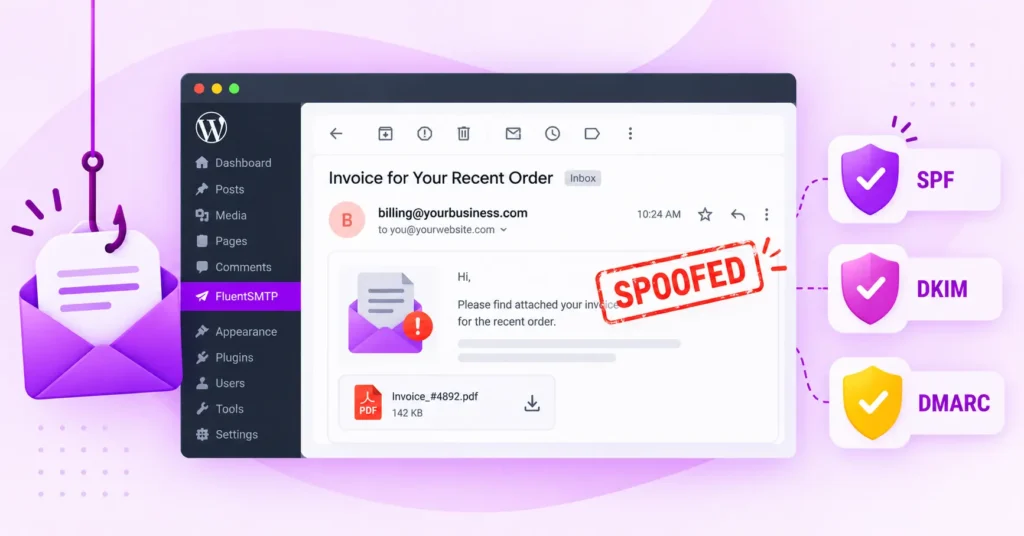
If your domain already lives on Cloudflare, this is close to the shortest path from “I need transactional email” to “it is sending” that exists. Your SPF, DKIM, and DMARC are already handled at the DNS layer you are already using. Add your Account ID and an API token with Email Sending permission and you are done.
We built the full request shape, not a minimum viable one — attachments, CC/BCC, Reply-To, and custom headers all work. The token is verified live when you save it and again on the connection info screen, so a bad token tells you immediately instead of at 2am on a Sunday.
There is an inline setup guide right inside the plugin, and we added one for toSend as well.
FluentSMTP now speaks WP-CLI
Which leads straight into the next thing.
There is a particular kind of bad day where the emails that are broken are the same emails you need to get back into the site. Login link, password reset, 2FA code. The admin UI is exactly where you cannot go.
wp fluent-smtp test          # send a test email through any connection
wp fluent-smtp health        # check every connection right now
wp fluent-smtp stats         # sent and failed counts
wp fluent-smtp prune-logs    # clean up old logs
wp fluent-smtp test takes --to, --from, and --text, so you can route through a specific connection and check the plain-text path too. prune-logs takes --days and --yes.
If you run staging behind HTTP auth, or you deploy from a script and want to assert the mail path still works before handing over, these are for you.
Resend, properly this time
Resending from Email Logs has been in FluentSMTP for a long time, and it had one annoying limitation: it always went back to the original recipients.
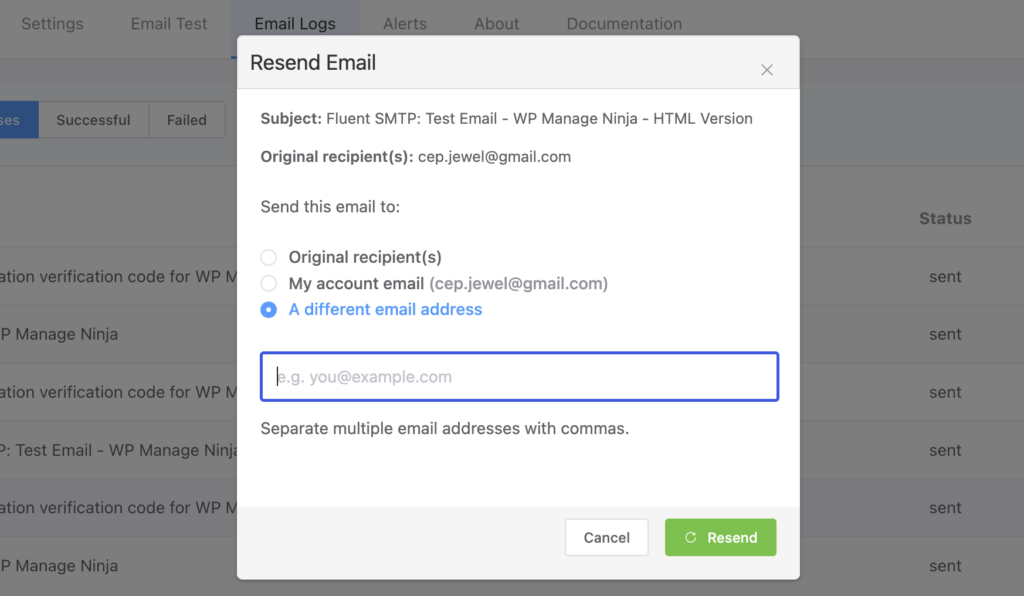
That is wrong most of the time you actually reach for it. You are usually debugging. You want the email in your inbox, not in your customer’s inbox for the second time.
So now when you resend, you pick:
- back to the original recipients
- to your own account
- to any address you type in
Thank you to @faisalahammad for this one.
And because a resend is a real action with real consequences, every log now keeps a resend history — where each resend went, when, and who sent it. If you have more than one admin, you can now answer “did someone already resend this?” without guessing.
We also added send time to every email log. Previously you could only see how long a send took on a test email. Now it is on every single one, so a connection that has gone slow shows up as a pattern in the log instead of as a hunch.
Faster sending
FluentSMTP now reuses SMTP connections across a bulk sending session instead of opening and tearing down a connection per email. If you send FluentCRM campaigns through an SMTP connection, this is a meaningful difference.
This was the delicate one to get right, and I want to be honest about the care it took, because reusing sockets is exactly the kind of optimization that produces weird bugs six months later:
- A kept-alive socket is never reused across different connection identities. Two connections with different credentials never share a pipe.
- Sockets are recycled after 15 seconds rather than held open indefinitely.
- If a reused socket has died at the far end, the send retries once — and only for single-recipient sends, so a retry can never partially duplicate a multi-recipient send.
- Orphaned bulk sessions self-expire after five minutes.
- There is a kill switch if you ever need to turn the whole thing off.
Amazon SES and toSend also got transport tuning — fewer round trips and persistent connections.
Email logs got faster too
The email log table had one index, on status alone. But essentially every query we run against it constrains a date range — the dashboard counters, the report chart, the day-and-time heatmap, and the pruning cron.
None of them could seek. They were scanning.
Replacing that with a (created_at, status) index, measured over 50,000 rows:
| Query | Rows examined before | After |
|---|---|---|
| Dashboard counter | 4,287 | 3,075 |
| Report chart | full scan | 3,521 |
| Day/time heatmap | full scan | 502 |
| Pruning cron | full scan | 1,419 |
Log pruning also runs in batches now, instead of one enormous delete that can lock the table on a site with a large log.
Matching WordPress 7.0
Our wp_mail() replacement has been brought in line with WordPress 7.0 core, including doc blocks and hooks. If you write code against wp_mail, the function FluentSMTP gives you now behaves like the one core gives you.
That includes inline image embedding for SMTP connections through the $embeds parameter and the wp_mail_embed_args filter.
We also added a fluent_mail/manage_capability filter, so you can change which capability is required to manage FluentSMTP instead of being locked to manage_options. This has been requested for years and it was a one-line change on our side — sorry it took this long.
Fixes worth naming
A few of these came from users who did real diagnostic work before reporting, and I want to credit them properly.
One-click unsubscribe was broken on Amazon SES, Gmail, and Outlook (thank you @rogerjudd). We were sending List-Unsubscribe headers RFC-2047 encoded. Mailbox providers could not read them, so they ignored them. If you send marketing email through those connections, this one matters — RFC 8058 one-click unsubscribe is not optional at Gmail and Yahoo any more.
Ampersands in your site title arrived as HTML entities (thank you @ikamal7). If your site is called “Smith & Sons”, your From Name said Smith & Sons. In the subject line too. And in your logs.
Outlook failures said “Unauthorized” and nothing else (thank you @reikjarloekl). Microsoft was telling us exactly what was wrong and we were throwing it away and showing you a generic reason phrase. Now you see what Microsoft actually said.
A From Name written without a space before the angle bracket lost its last character. John Smith<[email protected]> became John Smit. Small bug, deeply annoying.
Also fixed: weekly and monthly reports merging data across different years, toSend Reply-To formatting and sender validation messages, and nested array sanitization in email logs.
The part I am most proud of: FluentSMTP now has a real test suite
This is the least visible thing in 2.3.0 and probably the most important.
FluentSMTP has been running on millions of sites while sitting on top of the single most consequential function in WordPress. If wp_mail() breaks, everything breaks — registration, password resets, WooCommerce receipts, form notifications, everything. And until this release, our confidence that a change was safe came from careful review and manual testing.
That is not good enough for something this load-bearing. So we built a proper suite.
It runs against a real WordPress install through WP-CLI. No Docker, no wp-env, no PHPUnit, no CI service required. You run one command:
bash tests/bin/run-all.shThe harness fails closed in three ways at once. It forces the Simulator provider so nothing can leave the machine, it blocks outbound HTTP, and it hard-fails the run if the real fsmpt_email_logs row count changes. Running the tests cannot send you an email and cannot touch your log.
What is covered:
- Static gates — a route-coverage lint that fails if an admin-AJAX route exists with no test behind it. All 42 routes (11 GET, 31 POST) are in a manifest. A raw-SQL prefix gate catches hardcoded table names.
- Smoke — 33 checks across the admin request layer.
- Permissions — 62 cases. Every POST route, hit as an anonymous user and as a subscriber.
- Integration — 58 tests: database behavior, connection behavior, domain invariants, aggregate grouping, input validation, throughput guards, the unauthenticated surface, and real child-process runs of the WP-CLI commands.
- JavaScript — Vitest over the admin request layer.
- Browser — Playwright-driven admin screen smoke and end-to-end flows.
- Coverage — an optional PCOV gate that fails if any production file over 100 lines has zero hits and no written decision explaining why.
- Environment axes — the whole suite, re-run at timezone offsets
+6and-8, and then again under MySQLONLY_FULL_GROUP_BYandSTRICT_TRANS_TABLES. - Prefix portability — verified against an install using a non-default
wptest_table prefix.
Then we did the part almost nobody does: we attacked the suite itself.
A mutation audit deliberately broke production code in 20 different ways — deleting clauses, reversing comparisons — and ran the full suite against each one to see whether the tests noticed. Sixteen mutants were caught immediately. Four survived, meaning we had code paths our tests were not really checking. All four are now resolved: two by adding proper guards, and two by deleting redundant production code rather than writing tests to defend code that should not have existed.
I want to be careful about how I present that number, because “100% kill rate” is the kind of statistic that means less than it sounds like. It means that particular set of 20 mutations is exhausted. The right response is to widen the set next time, not to re-run it and feel good.
What it caught
This is the honest justification for the whole effort. The suite did not just confirm things worked. It found real bugs, and those fixes are in this release:
- Capability checks that were not as tight as they should have been. The permission tier hits every POST route as an anonymous visitor and as a low-privileged user, and it found handlers where our authorization was thinner than intended. Those are hardened in 2.3.0. This is the strongest argument for that tier I can give you — it is exactly the class of problem manual testing never finds, because no human sits down and tests every route as every role.
- Weekly reports, monthly reports, and the day/time heatmap were not strict-SQL compliant. On a MySQL install running
ONLY_FULL_GROUP_BY— increasingly the default — those queries would fail. We would never have caught this without the environment axes tier, because our own machines do not run that way. - Three edge cases around Outlook token expiry comparison, report date ranges, and legacy index preservation during a failed replacement.
Every one of those was shipped-and-live code that looked fine.
The suite lives in tests/ and it is in the GitHub repository. If you contribute to FluentSMTP, run it before you open a pull request. If you maintain a WordPress plugin and want to build something similar, read tests/README.md and steal whatever is useful — the approach is not specific to us.
Thanks to our incredible contributors
FluentSMTP is built by the community, and thanks to all the contributors who made this plugin better.
Still free. Still no pro version.
I say this in every post and I will keep saying it, because people keep asking when the catch arrives.
There is no catch. There is no pro version, no add-ons, no locked features, no email wall, no upgrade nag. Everything in this post — Cloudflare, connection health monitoring, WP-CLI, all fifteen-plus integrations — is free, and will stay free.
WPManageNinja is a profitable business built on Fluent Forms, FluentCRM, Fluent Support, and our other products. FluentSMTP is not a funnel into any of them. It is what we give back, and it is part of our Five for the Future pledge.
Thank you to everyone who reported a bug, sent a patch, or wrote us a detailed support ticket this cycle. @faisalahammad, @rogerjudd, @ikamal7, and @reikjarloekl — your names are in the changelog and the fixes are in the code.
Update from your WordPress dashboard, or grab it from the plugin page. As always, the source is on GitHub.
Shahjahan Jewel
Table of Content
Subscribe To Get
WordPress Guides, Tips, and Tutorials



Add your first comment to this post