

How to Start an Online Business with WordPress in 2026 : Build Your Brand, Drive Traffic & Scale Faster


Do you dream of launching your own online business?
A brand built on your ideas, your vision, and your rules.
But somewhere between the dream and the first step?
You hit a wall with zero roadmap.
And the fear: “What if my budget isn’t enough?”
Well, every successful giant business you admire started exactly where you are right now.
Small budget. Tight resources. But massive passion.
So, all you need is courage to begin and a clear direction.
That’s exactly what this guide is here for.
A simple, step-by-step path to launch your online business in 2026 without a big budget.
So, are you ready to build your own legacy?
Let’s get started.
How to Start an Online Business: Your Step-by-Step Path Forward
This step-by-step path walks you through every move you need to launch your online business – calmly, confidently, and without getting lost along the way.
Here we go!

Step 1: Start With Three Questions (Why, What, and Who?)
Before you build anything, get clear on three things: your purpose, your product, and your people. Let’s lock them down first-
1. Why Are You Building This Business?
You might think passion is enough to start a business. It’s not. Passion sparks your idea, but purpose is what turns it into something real.
So, ask yourself,
- What’s the real reason this business needs to exist?
- What problem keeps you up at night?
- What gap did you notice that no one else is filling?
Or maybe it’s a dream you can’t shake. Whatever it is, get clear on it. Write it down. Make it your North Star.
Because when things get hard (and they will), this is what keeps you going.
Plus, set your vision. Is this a long-term goal you’re focused on, or a short-term goal you want to achieve within a specific timeframe? This clarity shapes who you serve and what you sell.
Heads Up: While you’re thinking about this, check your skills. You’ll need some technical know-how, but your soft skills will carry you further: communication, problem-solving, management, and patience (lots of it).
2. What Will You Actually Sell?
Now that you know your purpose, decide what you’ll sell. Your first product should solve a real problem and offer something different.
In an online business, you can sell:
- Physical products
- Digital products
Based on your idea, start with your niche. Then research the market:
- Is there demand?
- Who’s already selling it? What are they doing well? Where are they falling short?
- Is this a long-term opportunity or a short-term trend?
Look at competitors, read reviews, and find the complaints because that’s where your opportunity lives.
Next, figure out sourcing. Can you create it yourself? Perfect. If not, compare suppliers, check quality, and test before you commit
Bonus: For physical products, platforms like AliExpress, Alibaba, or Spocket let you test ideas fast and order samples without huge upfront costs.
3. Who’s Going to Buy?
Your product is only meaningful if the right people want it. Understanding who you’re selling to makes your branding, messaging, and marketing ten times easier.
Well, let’s do some smart research-
- How old are they? (Age shapes platform choice and messaging)
- Where do they hang out? (Instagram? TikTok? Reddit? Facebook groups? or Quora?
- What problems do they complain about?
The clearer your picture, the easier it becomes to find them, speak their language, and turn them into buyers. That’s how you build momentum – one customer leads to the next.
Pro Tip: Of course, you won’t nail this from day one. You’ll learn more about your audience as you grow, so stay open and keep adjusting.
Step 2: Choose a Brand Name and Domain (Story Setup)
Congratulations. You’ve crossed the hardest step! Now comes the exciting moment: bringing your brand to life.
This is your entrepreneurial leap – where courage meets action and you build something truly yours.
So, shall we begin?
1. Pick a Memorable Brand Name
Your brand name is more than a label. It’s the first hint of your story.
So, make sure it fits your niche and brand voice. Short, catchy, and easy to spell works best.
Let’s say you’re building a T-shirt store. Something like “The Adora” works – simple, memorable, and true to the identity you want to build.
Now, picture it on your store, your packaging, your homepage. If it feels right, you’re close.
Well, remember this is a one-time decision. After people recognize your brand, changing the name creates confusion and kills trust.
And here’s the test: say it out loud to someone. If you have to repeat it three times, that’s a red flag. Keep looking.

As you make your business official, you’ll also need to think about how it’s structured. Many online businesses form an LLC early because it offers personal liability protection and simpler tax options to help you avoid complications as your income and responsibilities grow.
2. Create Your Brand Identity
Got your name? Great. Now lock in your look.
Pick 2-3 colors. Choose a font. Design a simple logo. Then decide your voice – are you friendly? Professional? Bold?
Well, this isn’t about being fancy. It’s about being recognizable.
Seth Godin says it best:
“People do not buy goods and services. They buy relations, stories, and magic.”
So make sure every piece – your logo, colors, and voice – tells the same story. This way, when someone sees your content anywhere, they instantly know it’s you.
Step 3: Build Your Website
This is where everything comes together. Your brand. Your products. Your story.
Now roll up your sleeves – it’s time to build your site:
1. Secure Your Domain and Hosting
It’s time to claim your online home.
First, grab your domain. This is your unique web address and represents your brand on the internet, so choose carefully.
Make it short and close to your brand name. Then check if it’s available (.com is ideal, but .co works if it’s taken). You can grab one from providers like Namecheap, Bluehost, or Squarespace.
Next, choose your hosting. Think of it as securing the land before you build the store. Also, make sure it has reliable uptime, decent speed, and good support.
Besides that, look for a plan that matches your traffic and storage needs. Beginners usually start with Bluehost, Hostinger, or GoDaddy.
Wondering if .co domains are worth it? Check out: Is .co a Good Domain
2. Choose Your Foundation
Before you build the house, you need solid ground to stand on. That’s your platform.
Well, for starting smart and scaling as you grow, WordPress is your best bet.
Why WordPress?
WordPress is a content management system (CMS) that lets you build and manage a website without needing to code everything from scratch.
Here’s why thousands of successful online businesses start with WordPress:
- Flexible and scalable
- Completely free to use
- Easy to customize
- All-in-one ecosystem
- You own and control everything
- Secure, stable, and widely supported
To understand WordPress better, read: The Pros and Cons of WordPress
3. Download and Install Must-Have Plugins
Now it’s time to set up the essentials that run everything smoothly in the background.
The good news?
You chose WordPress!
With thousands of powerful plugins, WordPress can handle almost anything for you.
But having too many options can make things confusing!
So, we’re cutting through the noise and showing you the plugins you actually need.
Disclaimer: You’ll see us refer to a few specific tools in this section. Just to be clear, this isn’t advertising. We’re mentioning them because they’re capable and can genuinely make your path easier. Most of these plugins are completely free; others have solid free versions. As your business grows, upgrade options are available, but you can launch and run successfully on the free versions alone.
Page Builder for Effortless Design
Installing a Page Builder plugin is the first step to making your WordPress journey effortless. With a page builder, you can design fully custom web pages in minutes (no developer required).
Our Recommendation: Elementor (It has a free version)
SMTP Plugin for Secure Email Delivery
WordPress emails landing in spam is one of the most common issues new site owners face. And to make sure every email reaches the inbox, whether it’s a password reset, a two-factor authentication email, or even a marketing email, you’ll need a dedicated SMTP plugin.
Our Recommendation: FluentSMTP (It’s completely free, will always remain free)
Get the most powerful SMTP plugin for free and hit the recipient’s inbox with your WordPress emails
Security Plugin for Enhanced Protection & Secure Logins
Your site needs protection from day one. The moment you go live, automated bots scan for weak spots, hackers target outdated plugins, and malicious traffic tries to break in. And, security plugins stop this cold.
Our recommendation: FluentAuth (Free)
SEO Plugin for Better Visibility
A WordPress SEO plugin helps optimize your content to rank higher in search engines, boosting your website’s visibility and driving more traffic to your site.
Our Recommendation: Yoast SEO / SEOPress
Backup Plugin for Automated Backups
As you build your business, your site becomes more valuable every day. More products, more customers, more content – that’s real work worth protecting. Well, WordPress backup plugins do this for you.
Our Recommendation: Jetpack (Free)
Form Plugin for Lead Generation
Forms allow you to collect important information from your visitors about themselves and their interests in your business. So, if you want to convert traffic into leads and buyers, having a reliable form plugin isn’t optional; it’s essential.
Our Recommendation: Fluent Forms (Free)
Caching Plugin for Speed
Slow sites lose customers fast. If your pages take more than 3 seconds to load, visitors leave before they even see what you’re selling. And, caching plugins help speed up your WordPress site and improve performance by letting it skip some of these steps.
Our Recommendation: WP Rocket (There is no free version)
Malware Scanner & Cleanup Plugin
Your website can get attacked through outdated themes or vulnerable plugins. Malware infects files, steals customer data, and crashes your site. It destroys everything you’re building. So protect your business with a malware removal plugin.
Our Recommendation: Best malware removal plugin
Project Management Plugin for Workflow Management
You’ll build dozens of pages for your site. Each needs content, images, design, testing, and more. Without a proper system, pages stay half-finished, and your launch date keeps slipping. A project management plugin tracks all of this for you. It organizes every page you’re building – from ideas to execution – so you always know exactly where each piece stands and what needs your attention next.
Our Recommendation: FluentBoards (Free)
Table Builder for Easy & Effective Table Creation
Selling products means showing options clearly – pricing plans, product comparisons, service options, or feature breakdowns. But building these tables usually means wrestling with code or hiring help. And, with WordPress table builder plugins, you can build clean, professional tables in minutes.
Our Recommendation: Ninja Tables (Free)
Other Plugins You Might Need Later
These plugins aren’t essential to start with, but as your business grows, they’ll help keep everything functional, optimized, and conversion-friendly:
- Email Marketing Plugin: To nurture and maintain strong relationships with your leads, email marketing is key. Thankfully, WordPress offers many capable options. (Recommendation: FluentCRM)
- Helpdesk Plugin for Customer Support: Your business reputation depends heavily on how quickly and effectively you respond to customer queries. So, ensure 24/7 priority support with a dedicated helpdesk plugin. (Recommendation: Fluent Support)
- Community Plugin: After launching your business, you may want to create an exclusive community for your users. A community plugin will make this easy. (Recommendation: FluentCommunity)
- Social Feed & Review Plugin: Showcase reviews on your website to build trust and credibility. (Recommendation: WP Social Ninja)
- Booking Plugin for Meetings: If your business involves meetings with clients or leads, a booking plugin allows you to manage appointments effortlessly. (Recommendation: FluentBooking)
Note: Depending on your business needs, you may require additional plugins. For a better understanding, consider checking out our blog on the must-have WordPress plugin
4. Set Up Your Theme and Essential Pages
First impressions matter. In fact, 94% of first impressions are design-related. A poorly designed site drives people away before they even see what you’re selling.
Choose your theme
WordPress offers a huge collection of free and premium themes. Go for one that’s clean, mobile-friendly, and matches your brand vibe. Now test the live preview, check reviews, and make sure the layout feels natural for your product.
Set up your essential pages
Then build the basics your website needs to function:
- Home
- About
- Shop (or Services)
- Contact
- Privacy Policy
These are what visitors expect to find. Keep them simple and clear. You can always add more as you grow.
Heads Up: Want more control over your design without touching code? Use a page builder like Elementor or Gutenberg. They let you drag and drop elements to customize your site exactly how you want it.
Step 4: Set Up Your Online Store
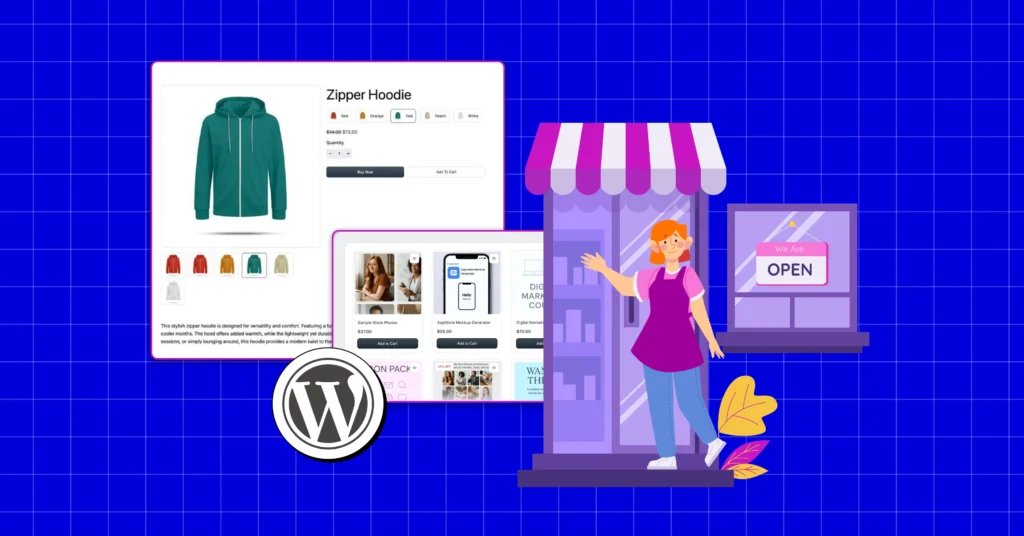
Your website is ready. Well, now it’s time to hang the “We’re Open” sign.
Excited? You should be, because you’re one step closer to your dream store. But first, everything your customers need has to be ready inside.
Think about shopping at any physical store. Someone greets you, shows you around, answers questions, lets you check products, then takes you to checkout, where you pay.
Your online store needs to replace that whole in-store experience.
Whether you’re shipping physical items or delivering digital files, the experience is the same for customers. Browse. Add to cart. Checkout. Confirm.
Right now, your WordPress site can’t handle any of that yet. It’s just a website right now.
So, what bridges that gap?
An eCommerce plugin. It adds the cart, the checkout, the payment processing, the order tracking. Everything that makes “buy now” actually work.
We recommend: FluentCart
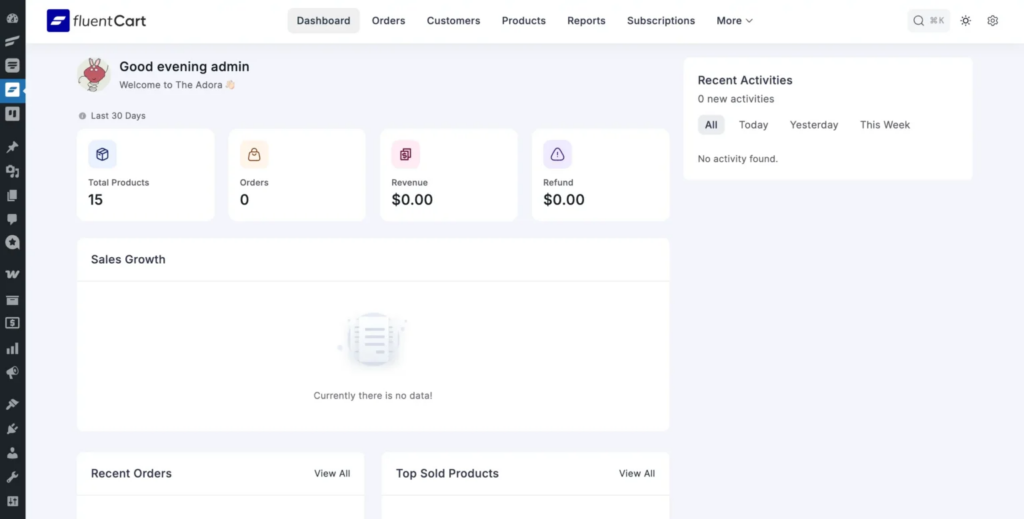
With FluentCart, you can start selling without transaction fees, handling both shipped products and digital deliveries in one place
And in under an hour, that setup turns into a live store ready to accept real orders.
Want to see how to set everything up? Read: How to Start an Online Store
Step 5: Set Up Your Social Channels
In an online business, social media is where most of your first buyers come from. This is your front door. Here’s how to set it up right-
Choose the Right Platforms For Your Audience
Your audience already has places where they naturally spend time. Your job is to show up where they’re most active.
If you’re selling physical products, your crowd is visual. So Instagram, Facebook, TikTok, and Pinterest work best.
Digital products need trust-building spaces. For that, LinkedIn, X (Twitter), YouTube, and Reddit are stronger choices.
And of course, generation matters. Gen Z scrolls short videos, Millennials stay active on Instagram and Facebook, while professionals turn to LinkedIn and X for updates.
Lock Down Your Brand Name and Visual Identity
After you pick your platforms, secure the same username across all of them.
Say your website is “theadora. com” grab @theadora on Instagram, Facebook, LinkedIn, and anywhere else you’ll show up.
Can’t find the exact match? No problem.
Add a small variation, but keep it close to your domain and brand name.
To make this faster, use tools like Namechk or KnowEm; they show what’s available across multiple platforms at once.
Now, make your visuals match, too. Use the same profile picture, cover photo, colors, and logo everywhere. Your bio should have the same tone and voice as your website.
Because when someone sees your content on Instagram, then visits your website, they shouldn’t wonder if it’s the same brand. Everything should click.
Grow Your Marketplace on Social Media
Social media isn’t just for branding; it’s one of your most active marketplaces.
This is where people discover you, trust you, and decide if you’re worth buying from.
Nowadays, most physical product shoppers browse and buy directly through social platforms. As for digital products, your credibility lives here. People check your presence before they pay.
That’s why social proof matters. A single honest review can influence hundreds of potential buyers, so stay present where your customers are and actively collect their feedback.
Quick Tip: Your product may already exist. That’s fine. What sets you apart is how you show it. Social media is a crowded stage. Therefore, make your showcase bold, unique, and true to your brand voice. Stand out, or no one will notice you.
Step 5: The Smart Checklist Before You Launch
You’ve set everything up. Now, before you hit “launch,” here’s what you need to test and optimize to make sure everything runs smoothly from day one.
- Test your checkout flow: Walk through the entire customer journey. Add items to cart, go through checkout, and complete a test purchase. Make sure payment processes correctly and confirmation emails land in the inbox, not spam.
- Check email notifications: Test order confirmations, welcome emails, password resets, and any automated sequences. Ensure they’re branded, mobile-friendly, and actually sending.
- Optimize for speed and mobile: Most customers shop on their phones. Check your site speed using tools like Google PageSpeed Insights. Compress images. Test mobile responsiveness on different devices.
- Secure your login: Hackers target admin logins constantly. Without extra protection, a stolen password gives them complete control. Add two-factor authentication to block them even if they crack your credentials.
- Scan for security threats: Run a full site scan to ensure everything is clean. If you detect any malware, remove malware from your site immediately before launching.
- Set up announcements: Prepare your launch announcement emails and send newsletters to spread the word. Also, schedule your social posts in advance, so everything goes live the moment you launch.
Step 6: Go-to-Market: Launch Your Dream Store
And this is it. Your dream business is about to go live. Everything you’ve built is ready to meet the world.
Let’s make sure your launch hits hard:
- Publish your first collection and tell your brand story
- Promote across all channels: social media, email, and blog content
- Track all campaigns and deadlines in one place
- Set up customer support to answer questions from day one
- Display social proof like reviews and testimonials to build trust
- Enable affiliate tracking so customers can spread the word
- Automate follow-up emails to encourage repeat purchases
Well done! You just launched your business – that’s a massive milestone, so give yourself a pat on the back.

Now, grab a quick coffee break, because the next part is all about managing and scaling everything you’ve built.
Tips to Manage and Grow Your Online Business Smoothly
Your website is up. Your store is ready. But here’s the reality: a business doesn’t grow overnight. You need the right strategy and the right business tools working together to scale faster.
Let’s walk through how to grow your business smoothly:
1. Own Your Store
Selling through external platforms feels convenient at first, but they eventually limit how far you can go. Most small businesses struggle because operating on someone else’s system becomes costly, restrictive, and dependent on rules they can’t control.
This is why we recommend building a store you fully own. When you control everything, you secure your future, reduce expenses, strengthen your brand, and create a growth path that no third party can limit.
2. Collect Leads from The Right Places, Not Just Anywhere
Most businesses gather plenty of leads, but the issue isn’t the number. It’s the lack of clarity about which leads matter.
And remember, your website forms play a huge role. Make sure they feel confident, direct, compelling, and optimized for conversion so you attract leads who are genuinely interested in your business.
Also read: Best Practices for Creating Secure WordPress Forms
3. Treat Every Lead Differently for Better Results
A lead’s source tells you a lot about how ready they are to buy. And, treating everyone the same creates confusion for one and pressure for the other.
So, segment your leads based on source, intent, and behaviour. And once your segments are clear, send targeted, relevant campaigns to each group, leading to better conversions and stronger customer relationships.
Bonus: How to Set Up Email Automation
4. Turn Customers Into Loyal Promoters
Most businesses focus heavily on attracting new customers but overlook their strongest growth engine: the satisfied users who are ready to recommend them.
Word of mouth outperforms every marketing channel in cost, trust, and conversion speed. That’s why it’s smart to involve your users in the process. Turn them into affiliates so every recommendation and referral becomes a win for them too.
When customers feel rewarded for spreading the word, they naturally become your most loyal promoters.
Here’s the setup guide: How to Create Your Affiliate Program
5. Build Your Own Community
Relying only on platforms like Facebook or LinkedIn means your reach depends on algorithms that can change overnight. Building your own community gives you full control instead. You choose what to share, how members interact, and how fast the community grows.
It also gathers people who are genuinely interested in your brand, turning them into loyal advocates who offer feedback, referrals, and repeat business. Plus, it gives your users an exclusive, members-only experience that keeps them engaged.
Learn more: Smartest Plugin to Build Dynamic Web Communities
6. Build Credibility Through Social Proof
When people have endless options, trust becomes the final deciding factor. Even with a great product, potential buyers hesitate unless they see real success from others.
Strong social proof removes doubt and gives your customers the confidence to choose you. So, showcase your reviews proudly across your website and make them easy to find.
And to keep everything organized, centralize all your testimonials in one dashboard so nothing gets lost or overlooked.
To add reviews to your site, read: How to Embed Aggregated Social Reviews
7. Deliver Fast, 24/7 Support
Most businesses know customer support is essential, but the real challenge is providing it consistently as you grow. The cost of maintaining a dedicated support system often becomes a major roadblock, especially for small businesses.
That’s why it’s important to avoid helpdesk tools that are expensive or overly complex. Choose something that helps you deliver smooth, reliable customer service without draining your budget. Remember, great support shouldn’t be a luxury.
Remember, it should be something you can offer confidently, every day, around the clock.
8. Cut Down Operational Costs
For any growing business, reducing operational costs is just as important as acquiring and retaining customers. Even with steady growth, high expenses can wipe out revenue and lead to losses.
Start by identifying where money is being wasted. Look for tools that charge more than they’re worth and explore alternatives that offer the same value at a lower cost.
One more thing, cost reduction isn’t only about spending less. It also means improving team efficiency and making sure everyone is performing at their best. To ensure this, we recommend using a project management tool that unifies your team, improves transparency, and boosts accountability across all tasks, yet doesn’t charge you a huge amount.
9. Meet Prospects One-to-One
For service-driven businesses, growth comes from truly understanding clients. Direct conversations help you find better solutions and build loyalty.
But when scheduling is chaotic, time and revenue slip away! So, design a booking system that makes scheduling effortless.
Let clients book instantly without delays, reduce no-shows with automated reminders, and avoid double-bookings by syncing calendars in real time. Free up hours each week by automating confirmations and rescheduling, and strengthen loyalty by focusing on personal, human conversations instead of generic support.
10. Go for a Complete Ecosystem
One of the biggest hidden blockers to growth is a fragmented tech stack. When your store runs on one tool, your CRM on another, your booking system somewhere else, and your support desk on a completely different platform, you’re building your business on chaos.
Customer information is scattered, making it hard to see the full journey or understand what drives revenue. Exporting, importing, and fixing mismatched data takes hours for tasks that should be automatic.
Multiple subscriptions, integrations, and maintenance quickly eat into profit. As your business grows, the cracks in your systems widen, causing delays, errors, and burnout. Whenever a problem arises, you have to reach out to multiple support teams to get it resolved.
That’s why we recommend using tools from a complete ecosystem. When all your tools work together seamlessly, problems are easier to solve, data stays unified, and you know exactly which support team to contact when something needs attention.
However, we’ve only shared the gist here. For detailed strategies on growing your business within WordPress, consider reading this article.
Now Build That Dream
You’ve got the roadmap. The tools. The strategy.
Every step you just walked through – from choosing your brand name to launching your store, capturing leads, automating emails, building community – it’s all here, waiting for you to execute.
And honestly?
It’s about more than just revenue. It’s the independence. The control. The freedom to skip Monday morning alarm clocks and live your passion every single day.
This guide gave you everything you need to turn your vision into reality. The next move is yours.
So stop waiting for the perfect moment. It doesn’t exist.
As Simon Sinek said, “Dream big, start small, but most of all, start.”

Mahjabin Sheikh
Hey, good people! I’m Mahjabin, a Digital Marketer at WPManageNinja. Just like the quote from Before Night Falls – ‘I write, and I survive’ – that’s me in a nutshell! With coffee in hand, I dive headfirst into WordPress and Project Management. When I’m off the clock? You’ll find me writing about movies, breaking down series moments, and, of course, scrolling through memes for a good laugh!
Table of Content
Subscribe To Get
WordPress Guides, Tips, and Tutorials

Leave a Reply