


7 Email Deliverability Metrics That Actually Predict Inbox Placement


Most email marketers obsess over surface-level metrics: open rates, click rates, or delivery rates.
Their email campaign report is worthy of celebration.
- 98% delivery rate
- 25% open rate
But then, suddenly, engagement drops, conversion slows down, and something feels off!

Why did the campaigns not perform the way they should?
Here’s what’s missing: The email deliverability metrics most of you are tracking don’t show you the real story.
Delivered emails don’t ensure inboxing. That’s made a big difference.
In this article, we’ll cut through the noise and help you focus on the metrics that actually matter. The ones mailbox providers use to decide whether your emails deserve to inboxed not just delivered.
Email Deliverability vs Inbox Placement
Before we get into the metrics, it’s worth clearing up a confusion that causes most deliverability issues.
Why “Delivered” Doesn’t Mean “Inboxed”?
Email deliverability and inbox placement might sound like the same thing. But, they’re not.
Deliverability simply means the receiving server accepted your email. If it doesn’t bounce, it’s technically delivered.
But inbox placement goes a step further. It answers the real question:
Where did the email end up within your email dashboard?
- Primary inbox
- Promotions tab
- Spam folder
Even after your emails are being delivered, mailbox providers (Gmail, Outlook, etc) make this decision based on trust, safety, and relevance.
So when you see a high delivery rate, it doesn’t necessarily mean success. It just means your email wasn’t rejected outright. From a performance perspective, that’s just half the story.
Remember: Email deliverability is like the journey through the cosmos. Inbox placement is the landing. No matter how far your message travels, it will only matter if it touches down where it can be seen and matters most.
Metrics That Don’t Give You the Full Picture
When your business runs on email marketing, every metric deserves your attention.
All metrics are useful, but when it comes to email deliverability metrics, some can be slightly misleading. They won’t show you the full story.
Open Rate: Open rate is a useful signal, but it’s not a reliable email deliverability metric. It gives you a general sense of whether your subject lines are working.
Apple’s Mail Privacy Protection automatically pre-loads email, which is sometimes considered an open email, even when nobody actually reads it. It means your numbers could look healthy while emails are quietly landing in spam.
Click Rate: Click rate is a great indication of how compelling your content is, but it can not entirely justify inbox placement decisions.
A campaign can look great by click rate standards and still be landing in spam for a large portion. It’s definitely meaningful, but not a decisive factor.
Delivery Rate: A good delivery rate is a sign that your emails weren’t outright rejected. But it doesn’t tell you whether that email landed in the inbox or somewhere else.
Relying on it alone is like assuming a package reached its destination just because it left the warehouse.
Note: These metrics are a useful starting point, just not the finish line.
The 7 Email Deliverability Metrics That Actually Matter
Now you understand that inbox placement is the real goal, the next step is figuring out what influences it.
Not all email deliverability metrics carry equal weight. Some send direct trust signals. Others are just surface-level indicators.
Here are 7 email deliverability metrics that actually predict how mailbox providers evaluate senders for inbox placements:
Inbox Placement Rate (IPR)
If there’s one metric that cuts through all the noise, it’s this one.
Inbox placement rate is the most accurate way to measure deliverability. It measures how many emails were delivered to the inbox versus the spam folder. Unlike the delivery rate, it reflects visibility, not just focus on acceptance.
If you can track it, it becomes your most reliable indicator of whether your overall email system is working or not.
However, the real challenge is that this metric isn’t readily available inside an email marketing platform’s dashboard. It often requires inbox placement testing or specialized tools for tracking.
Testing tools like GlockApps send your email to test inboxes across Gmail, Outlook, and Yahoo, then report back on where each one ended up.
Anything above 90% is considered a healthy inbox placement rate. Once it starts dropping below the mid-80s, it’s usually a sign that something deeper, like reputation or engagement, is dropping.
So, if your goal is performance, then this number matters most because it answers the only question that matters:
Did your email actually reach your audience?
Spam Complaint Rate
Few metrics carry as much weight as spam complaints.
Every time someone hits “Mark as Spam,” it sends a direct signal to mailbox providers that simply means: “I don’t want this.”
But why don’t people want your emails? Are you sending bad campaigns?
Well, not really. People might do that if you are:
- Sending too frequently
- Targeting the wrong segment
- Keeping inactive subscribers too long
Once they mark your emails as spam, email providers start routing all your emails to spam.
Many email marketing platform has built in feature that show the percentage of emails landing in spam.
It is recommended to keep the rate below 0.1% threshold. When you cross 0.3%, it increases the risk of facing serious deliverability consequences, including potential email blacklisting or hampering email sender reputation.
Fixing this isn’t complicated; it requires you to maintain discipline: send to people who actually want to hear from you.
Bounce Rate
One of the first signs that something is not right is a high bounce rate.
Bounce rate tells you how many of your emails failed to reach a valid inbox.
Hard bounces (invalid addresses) are especially problematic because it indicates your email list is outdated and contains email addresses that don’t exist.
Soft bounces are not always an issue, but if the same email address keeps soft bouncing, then it’s better to refrain from sending further campaigns.
A healthy bounce rate stays under 0.3%. When it creeps past 2%, mailbox providers start questioning your sending reputation. If you ignore hard bounce for a long time, it will keep dragging your sender reputation down with each send. Thus affecting inbox placement.
To avoid such consequences, cleaning your list regularly is one of the most effective ways to protect deliverability.
Email Sender Reputation
We mentioned earlier that mailbox providers decide inbox placement based on trust, safety, and relevance.
Well, sender reputation is your overall trust score. You won’t see it directly, but mailbox providers do.
This sender reputation score is shaped over time by analyzing your behaviour:
- How often do you send
- How people react
- How clean is your list
Basically, it’s not one metric; it’s the result of all of them combined.
That’s why you can’t fix sender reputation directly. You improve it by improving everything else:
- Lower complaints
- Lower bounces
- Lower spam rate
- Higher engagement
When reputation is strong, your emails have a much easier path to the inbox. When it drops, even good campaigns struggle.
It’s important to understand that sender reputation isn’t built overnight, and it doesn’t collapse overnight either.
Engagement Signals
Mailbox providers don’t just look at what you send. They look at how people react.
- Do recipients open your emails?
- Do they click?
- Do they reply?
- Or do they ignore, delete, or mark them as spam?
These actions form your engagement signals, and they carry real weight.
Not all engagement is equal. Opening 100s of emails but getting no clicks or replies isn’t a pleasing achievement. A reply or a meaningful click is far more valuable than a simple open, especially now that open tracking has become less reliable.
On the flip side, negative signals like ignoring emails and marking emails as spam can slowly but surely push your emails toward spam.
The practical solution to avoid this happening is cleaning the email list in 3-6months, segmenting contacts into smaller chunks, send email to the targeted and highly engaged audience. Because it’s always quality that matters over quantity.
Domain Reputation
While sender reputation is a broader concept, domain reputation focuses specifically on your sending domain.
A simple way to remember the difference:
- Sender reputation = how trustworthy you are as a sender overall
- Domain reputation = how trustworthy your domain/brand is, specifically
Your domain is simply your website address, the part after the “@” in your email (like yourcompany.com). And just like your sender reputation, your domain builds its own trust score with mailbox providers over time based on how you send emails from it.
Every complaint, every bounce, every ignored email from your domain gets noticed and evaluated by mailbox providers based on reliability and trustworthiness.
Even if you switch tools or sending platforms, your domain reputation follows you. That’s why it’s so important to protect it.
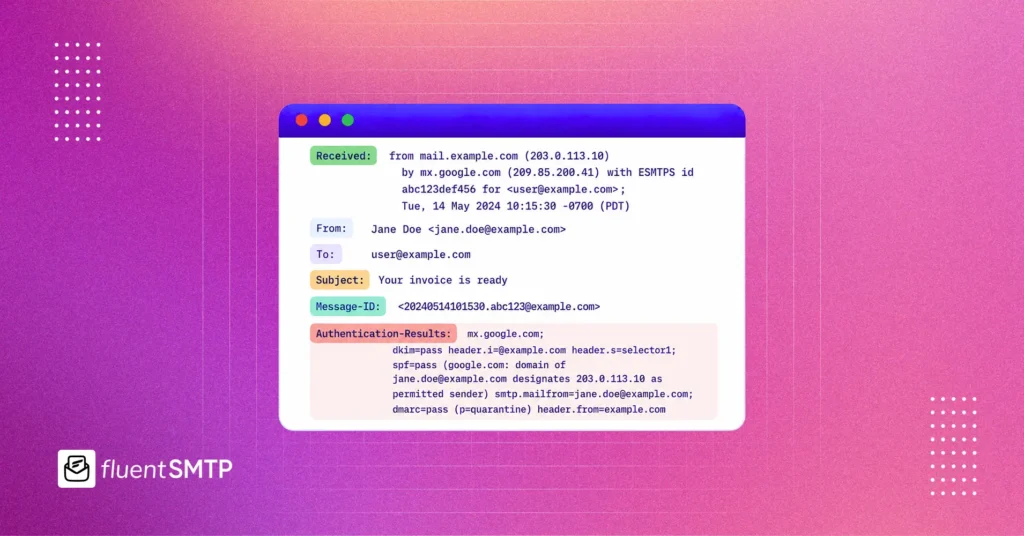
Email authentication plays a crucial role to maintain better domain reputation. Properly configured SPF, DKIM, and DMARC records help verify that your emails are legitimate.
Moreover, new domains are naturally low on trust. So, jumping straight into high-volume sending from a new domain mostly results in poor inbox placement, regardless of how good your content is.
Remember: When domain reputation weakens, it becomes much harder to recover quickly.
IP Reputation
If domain reputation is about your brand, IP reputation is about the road your emails travel on to get delivered.
Every email you send goes out through a server that has a unique IP address. Inbox providers like Gmail and Outlook track the behavior of every IP address that sends them email.
If that IP has a history of sending spam, high complaints, or suspicious activity, your emails get treated with suspicion, too, before anyone even reads them.
If you’re on a shared IP, your reputation can be influenced by other senders’ behaviour. If you’re on a dedicated IP, you carry full responsibility.
This is why the infrastructure you send through directly impacts your inbox placement. A poor IP reputation can quietly override everything else you’re doing right; clean list, good content, proper authentication, and all.
The fix is simple: send a steady, predictable volume over time. Going silent for weeks and then suddenly blasting your entire list looks exactly like suspicious behavior to inbox providers, and they’ll filter your emails accordingly.
How These Metrics Work Together
One of the biggest mistakes in understanding email deliverability metrics is treating them as separate.
Although each metric has significant individual weight, they work best when they form a complete system.
A drop in one area affects another.
For example:
- A poor email list leads to higher bounces
- Higher bounces hurt reputation
- Lower reputation reduces inbox placement
- Lower inbox placement reduces engagement
This is why email deliverability issues rarely show up as a single problem. They show up as a pattern. You need to find the issue and fix the entire system to stay within the healthy range for each metric so everything works in harmony.
The Benchmark: Healthy vs. Risky Ranges
You don’t need dozens of benchmarks. Clear thresholds can help you spot problems early. Here’s what you should be targeting and avoiding:
| Metric | Healthy Zone | Warning Zone | Danger Zone |
|---|---|---|---|
| Inbox Placement Rate | 90%+ | 80–90% | Below 80% |
| Spam Complaint | Below 0.1% | 0.1–0.3% | Above 0.3% |
| Bounce Rate | Below 2% | 2–5% | Above 5% |
| Sender Reputation | 80–100 | 50–79 | Below 50 |
| Engagement Rate | 20%+ | 10–20% | Below 10% |
| Domain Reputation | Established & consistent sending history | Inconsistent sending patterns | New domain or flagged domain |
| IP Reputation | Dedicated or clean shared IP | Occasional flags | Blacklisted IP |
Best Practices to Improve Email Deliverability Metrics
Knowing which email deliverability metrics are important is only half the battle; the other half is actively working to keep them in a healthy range.
The good news is that most deliverability improvements don’t require technical expertise. A few consistent habits go a long way in making your emails land in people’s inboxes.
Here are a few things you can do to keep email deliverability matrices within the healthy range:
- Clean Your Email List: Remove hard bounces immediately, long-term inactive contacts, and never use purchased lists.
- Send Emails to Targeted Segments: Send relevant content to the right people at the right frequency based on their behavior and activity.
- Set Up Proper Email Authentication: SPF, DKIM, and DMARC are non-negotiable; without them, mailbox providers have no reason to trust your emails.
- Warm Up New Domains and IPs: Always start small and increase sending volume gradually to build trust with inbox providers over time.
- Keep an Eye on Metrics: Track your inbox placement rate, complaint rate, bounce rate, delivery rate, and other engagement metrics weekly.
- Make Unsubscribing Easy: A simple one-click unsubscribe option reduces spam complaints and protects your sender reputation.
How FluentSMTP X FluentCRM Helps You Track Email Deliverability Metrics?
If you’re running your email marketing on WordPress, combining FluentCRM and FluentSMTP gives you a solid grip on both sending and tracking, without needing any technical expertise.
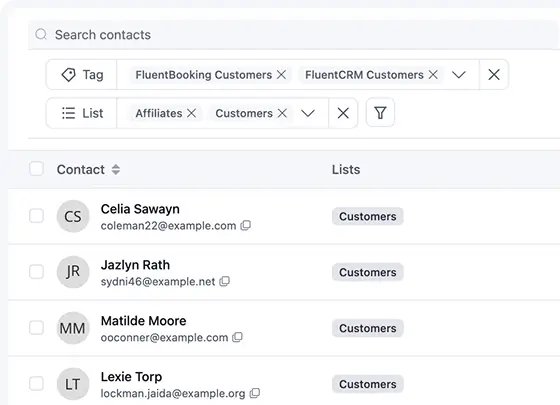
FluentCRM handles the email campaign side. It gives you a clear view of engagement metrics to see how your emails are performing.
Also, you can segment contacts based on behavior, and easily remove inactive subscribers in just a few clicks, helping you keep your list clean.
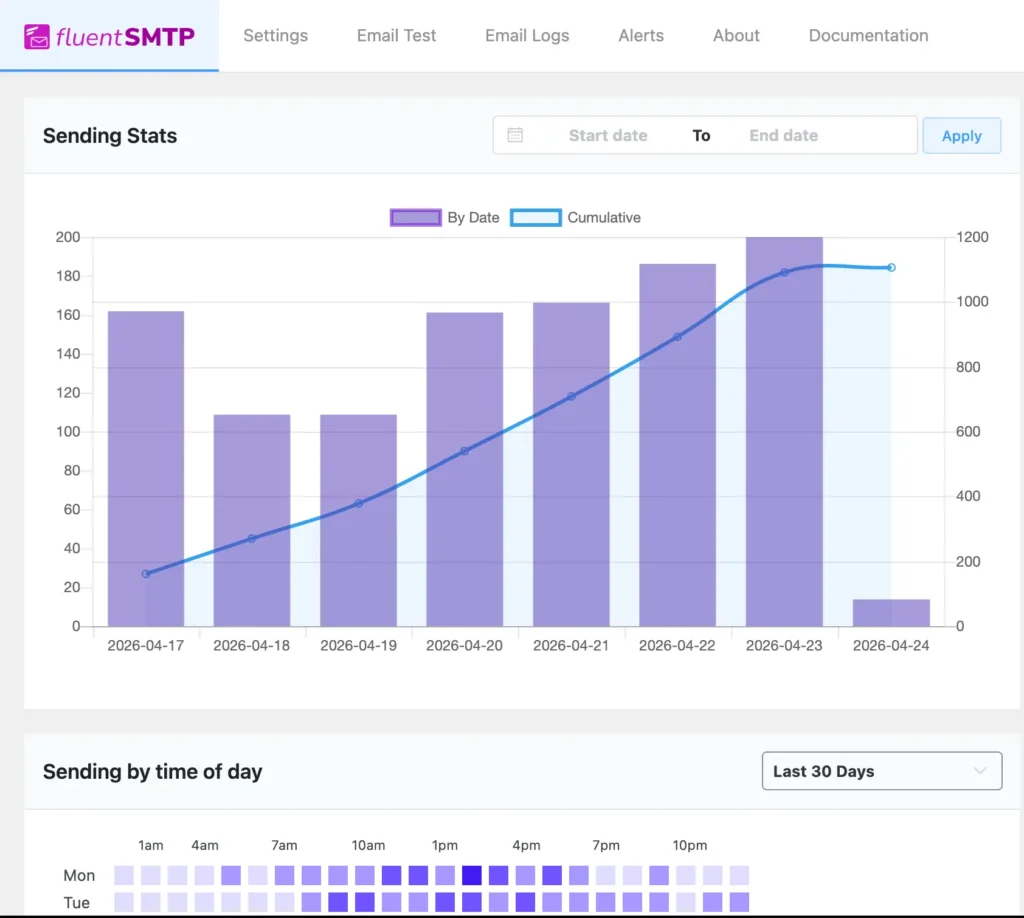
On the other hand, FluentSMTP handles the delivery side. It routes your emails through trusted sending channels, ensuring they actually reach the inbox.
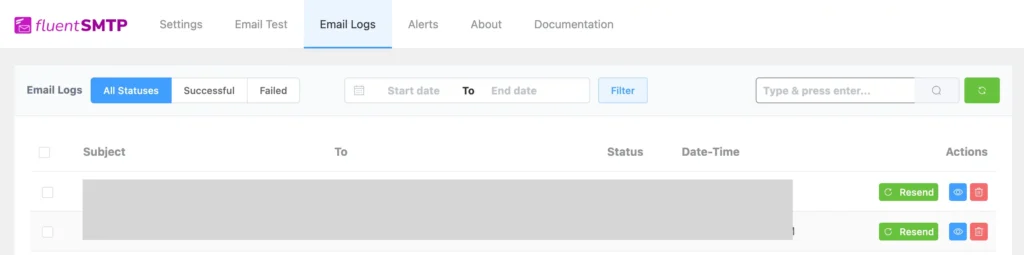
With detailed email logs, you can identify bounced or failed emails quickly, and the built-in alert system notifies you instantly via Slack, Telegram, or Discord the moment something goes wrong.
Together, they cover the two things that matter most: sending emails that people want to receive, and making sure those emails actually land where they’re supposed to.
Download FluentSMTP
(100% Free)
Get the most powerful SMTP plugin for free and hit the recipient’s inbox with your WordPress emails

Focus on Metrics That Actually Make a Difference
Email deliverability isn’t about sending more emails. It’s about earning your place in the inbox.
And that can’t be achieved by tracking vanity metrics.
But tracking the right email deliverability metrics isn’t a one-time fix; it’s an ongoing practice of monitoring the right signals and acting on them consistently.
Focus on the metrics that dictate trust, behavior, and real placement.
Because, at the end of the day, the inbox is where your emails need to be. Focus on the metrics that get them there, and everything else will follow.
Tanzil Ebad Efti
Words are my favorite playground. As a Creative Writer at WPManageNinja, I don’t just produce content; I tell stories. By mixing fiction and metaphors with real-life examples, I turn my writing into a creative journey that’s easy for readers to digest and relate to.
Table of Content
Subscribe To Get
WordPress Guides, Tips, and Tutorials





Leave a Reply