

Email Deliverability: 16 Tactics That Get You Into the Inbox

What if your biggest email marketing problem is one you cannot see?
For most senders who struggle to improve email deliverability, here’s a relatable scenario:
Your emails go out. No errors show up. Your ESP dashboard says everything was delivered. And technically, yes, it delivered.
But they land in a spam folder your subscriber checks twice a year, or in a promotions tab they scroll past without thinking.
You might have a serious inbox placement problem right now and have no idea, because nothing in your workflow flags it.
Deliverability issues only get attention when they become a crisis, but by that point, your sender reputation has already taken weeks of damage that will take even longer to repair.
Four things decide where your email lands, and every fix below belongs to one of them. Getting ahead of it is always the smarter move.
TL;DR: Email deliverability is whether your emails reach the primary inbox rather than spam or the promotions tab. It differs from delivery, which only means a receiving server accepted the message. Four factors decide it: your authentication records, your sending reputation, your list quality, and the content and pattern of what you send.
What Is Email Deliverability? (and Why Most People Measure It Wrong)
Email deliverability is your ability to get emails placed in the primary inbox, not just technically “delivered” to a mail server. And that distinction matters more than most senders realize.
An email can be delivered (accepted by the receiving server) while simultaneously landing in spam, the promotions tab, or the updates folder.
In all of those cases, your deliverability is failing even though no bounce occurred.
Put simply, delivery is a receipt and deliverability is a decision that somebody else makes. Delivery only tells you a receiving server accepted your message, and it is the one number your sending tools actually report. Where the message went after that is the number that matters, and nothing in your setup is built to tell you.
Inbox placement rate is the metric that actually tells you how you are doing. Sender reputation, spam complaint rate, and bounce rate are the signals that determine it.
Understanding email deliverability metrics in full gives you a much clearer picture of where your campaigns stand, and knowing what counts as a healthy deliverability rate stops you from either panicking at a normal number or ignoring a bad one.
How Email Deliverability Is Measured in 2026
Modern mailbox providers do not rely on simple keyword blacklists. Gmail, Yahoo, and Outlook use machine learning models that evaluate dozens of behavioral and technical signals.
Simultaneously, they check your domain and IP reputation, spam complaint rates, engagement patterns, authentication validity, and list-quality indicators such as bounce rates.
Tools like Google Postmaster Tools give you visibility into how providers are judging your domain. Checking these regularly lets you catch problems before they compound.
Why Improving Email Deliverability Is Worth the Effort
Think of deliverability as the engine behind every email result you care about.
When it is running well, your campaigns perform the way they should. When it is not, no amount of great copy or smart segmentation will save you.
Here is what improving email deliverability does for you:
- More of your emails reach real people
- Your sender reputation compounds over time
- You protect your entire email program
- Your revenue numbers actually reflect your effort
- You stay ahead of tightening industry requirements
The Four Things That Decide Where Your Email Lands
Not all deliverability problems come from the same place. Some senders struggle because their technical setup is broken. Others have great infrastructure but a list full of disengaged contacts dragging their metrics down.
When a receiving server decides where to put your message, it is really asking four questions, and every tactic in this guide answers one of them:
- Is this domain allowed to send this? Your authentication records.
- What have we learned about this sender before? Your sending reputation.
- Do these addresses look like real, willing recipients? Your list quality.
- Does this message look like mail people want? Your content and your sending pattern.
The four fail in roughly that order of frequency, and they fail independently, which is why a site can have perfect authentication and still land in spam. Work through them in order. The 16 tactics below are grouped by which question they answer, so you can go straight to the group your problem sits in.
Get Your Email Authentication Right
Email authentication is the foundation of email deliverability, because reputation cannot accumulate against a domain that providers are unable to verify. If these are wrong, nothing further down is worth working on yet.
1. Choose Your Sending Domain Carefully
Domain choice affects email deliverability before you send a single email.
Spammers cycle through domains constantly, using hyphens (best-deals-now.com), numbers, and unusual extensions like .xyz or .biz. These patterns are already flagged as low-trust signals in spam filter models.
Avoid hyphens and numbers in your sending domain, stick to .com or the official country-level extension for your market, and avoid names containing words linked to spam niches like money, health, or weight loss.
If using a subdomain for outreach, keep it clean and brand-aligned. A clean, aged domain gives your sending practices the best possible starting point.
2. Correctly Set Up Email Authentication (SPF, DKIM, and DMARC)
SPF, DKIM, and DMARC are three non-negotiable email authentication protocols.
Without them, receiving mail servers have no way to verify that your emails are actually coming from you. As a result, many mailbox providers will reject or heavily filter them by default.
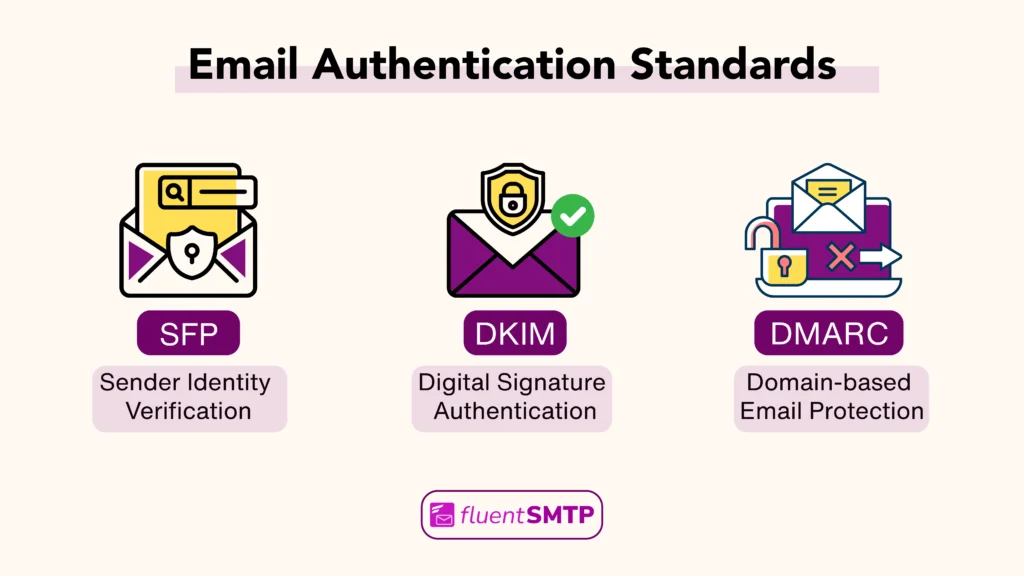
- SPF: Specifies which IP addresses are authorized to send from your domain
- DKIM: Adds a cryptographic signature confirming the email has not been altered in transit
- DMARC: Tells receiving servers what to do with emails that fail SPF or DKIM, and sends you failure reports so you can investigate
All three must be configured in your DNS records. Missing or misconfigured authentication hurts your domain reputation immediately, regardless of content quality.
Use MXToolbox to verify all three records are correctly in place after configuration.
The failure that catches WordPress site owners most often is not a missing record but a stale one. A site that used to send through its host and then moved to a sending service usually keeps an SPF record still listing the old host, so every message fails the check while nothing in WordPress reports it.
3. BIMI to Build Inbox Trust
Brand Indicators for Message Identification(BIMI) is an emerging standard that very few senders have implemented yet, which makes it a genuine competitive advantage right now.
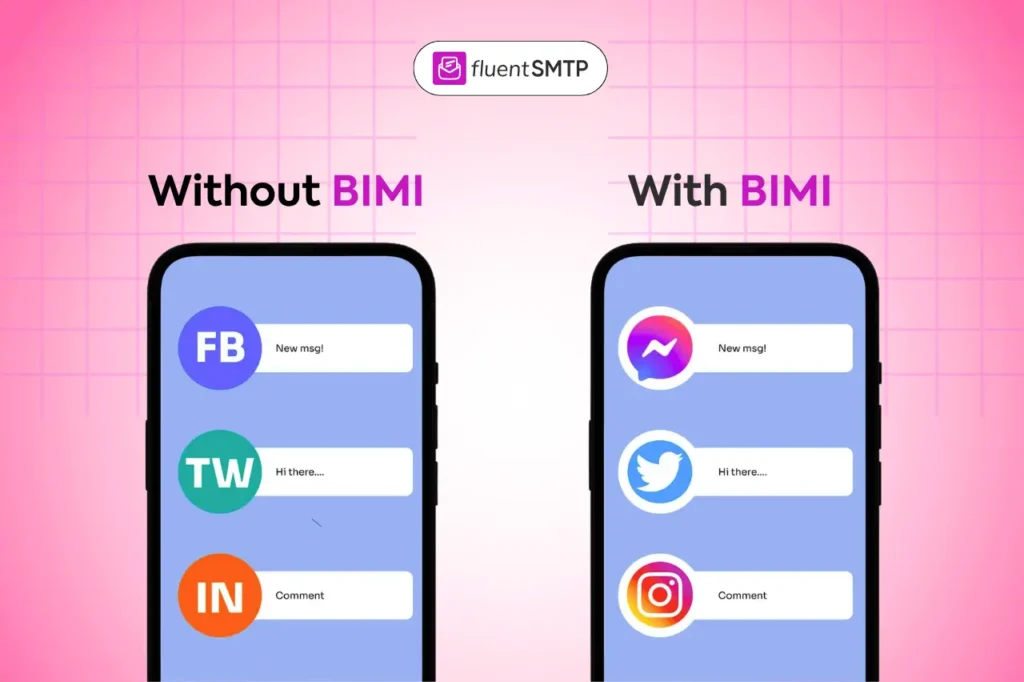
When properly configured alongside a DMARC policy set to enforcement, BIMI displays your brand logo directly next to your sender name in supported clients like Gmail and Apple Mail. It boosts,
- Visual recognition
- Increases open rates
- Signals sender legitimacy
BIMI requires a DMARC record at the enforcement level (quarantine or reject) and, for full Gmail support, a Verified Mark Certificate (VMC). It is an advanced step, but one that pays off meaningfully in inbox trust and brand visibility.
Protect Your Sending Reputation
Sender reputation is what mailbox providers have learned about you over weeks and months. It moves slowly in both directions, which means a single bad send will not ruin it and a single good week will not repair it.
5. Use a Reputable Email Service Provider
Most senders start on shared IP pools, where your outgoing emails share an IP address with other senders on the same platform.
The problem with this is that IP reputation is collective. If another sender on your shared IP is flagged for spam, your deliverability suffers too.
Choose an ESP with a strong deliverability track record, built-in authentication support, and feedback loop integrations with major mailbox providers.
Once your sending volume grows, a dedicated IP becomes a serious consideration. It isolates your reputation completely from other senders, meaning your inbox placement reflects your practices alone.
6. Warm Up New Domains the Right Way
After activating a new domain or dedicated IPs, you cannot send at full volume immediately. Mailbox providers need to see consistent, gradually increasing activity before they trust you as a legitimate sender.
Jumping straight to high volumes triggers spam filters and can damage a domain’s reputation.
| Week | Daily Send Volume |
|---|---|
| Week 1 | 20 to 50 emails |
| Week 2 | 100 to 200 emails |
| Week 3 | 500 to 1,000 emails |
| Week 4 | 2,000 to 5,000 emails |
During warm-up, prioritize sending to your most engaged subscribers first.
If using an automated warm-up tool, ensure it uses IMAP-based interactions rather than simulated browser activity, which major providers can detect and discount.
7. Monitor Domain and IP Reputation Continuously
Domain and IP Reputation problems compound silently. A domain that slides from good to neutral to bad over several weeks is much harder to recover than one caught early.
Google recommends staying under 0.1% and treats anything above 0.3% as grounds for bulk rejection.
Check your IP reputation monthly using dedicated tools. If you notice a downward trend, investigate the cause immediately before it becomes a full-blown crisis.
You can also test and verify inbox delivery to catch site-level configuration issues before they affect your broader sending reputation, and monitor your WordPress email sender reputation directly.
8. Check and Clear Blacklists Proactively
Landing on a major blacklist causes immediate deliverability drops. The most common causes are sudden volume spikes, sustained high spam complaint rates, and hitting spam trap addresses that signal poor list hygiene.
Use blacklist monitoring tools to check your domain and IP regularly. If listed, most blacklists have a delisting process that requires demonstrating the root cause has been corrected.
Proactive list hygiene is always your best defense.
Keep Your List Clean
List quality is what your recipient addresses say about how you collect and maintain them, and a list that degrades quietly is one of the most common reasons a sender with correct authentication still ends up in spam.
9. Clean Your List Regularly
Even a well-built list degrades over time. People abandon email addresses, change jobs, or simply stop engaging.
Sending to old addresses increases your bounce rate and risks hitting recycled spam traps.
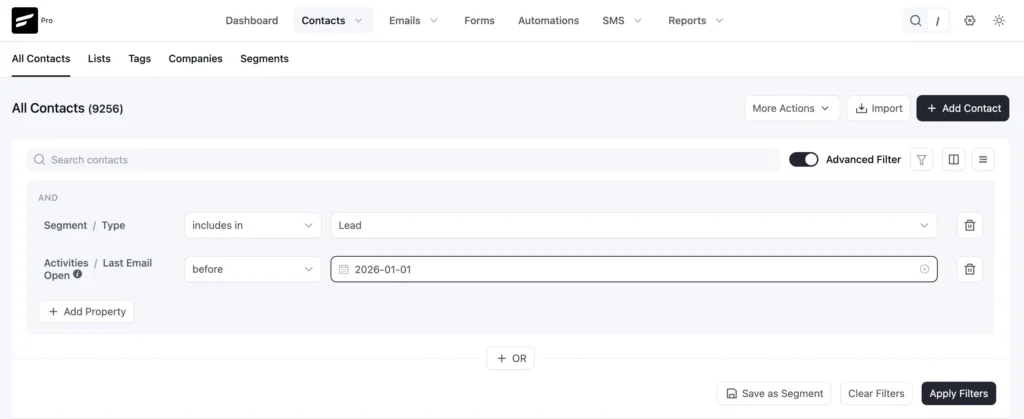
Clean your list every three to six months: remove hard bounces immediately, and stop sending to soft bounce addresses after three to five consecutive failures.
Also, run your list through an email verification service to catch syntax errors, deactivated domains, and known spam traps.
A smaller, cleaner list will always outperform a large, dirty one.
10. Use Double Opt-In to Build a High-Quality List
Single opt-in lists grow faster but accumulate invalid addresses, bots, and uninterested subscribers at a much higher rate.
Double opt-in requires new subscribers to confirm their email address through a follow-up email, which filters out invalid addresses immediately and confirms genuine interest in hearing from you.
The short-term list growth trade-off is worth it. Double opt-in lists consistently produce:
- Higher engagement rates
- Lower complaint rates
- Fewer bounces
- Better long-term deliverability
11. Segment Before You Delete Inactives
Most guides tell you to simply remove inactive subscribers. The smarter move is to run a structured re-engagement sequence first, then suppress those who still do not respond.
Segment your list by engagement:
- Active (opened or clicked within 90 days)
- Warm (90 to 180 days)
- Cold (180 to 365 days)
- Inactive (over 12 months)
Run a targeted re-engagement campaign for cold and inactive segments with a subject line that acknowledges the gap directly.
Those who still do not respond should be removed, not just unsubscribed, to prevent future accidental sends.
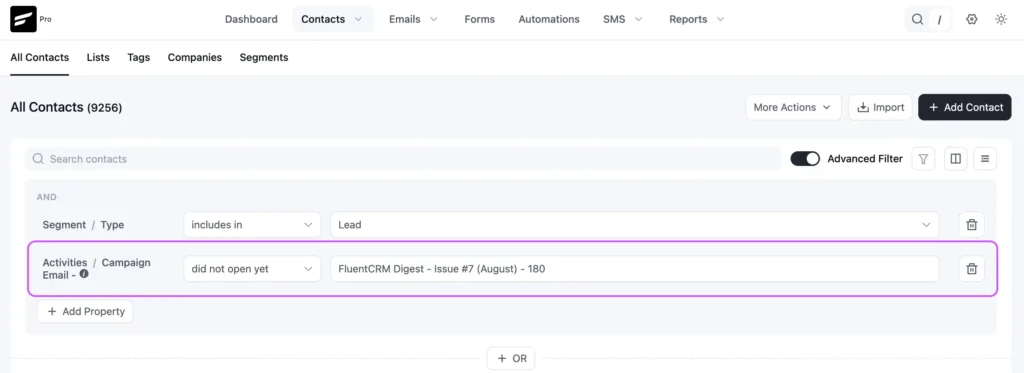
This approach rescues subscribers who simply drifted while keeping your sender reputation clean and your engagement metrics strong.
Fix What You Send and How You Send It
Your content and sending pattern are the parts of deliverability you control most directly. Filters read structure and rhythm rather than vocabulary, so what matters here is the shape of your mail and the consistency of your sending.
12. Write Content that Looks Human
Modern spam filters analyze the pattern and structure of your content, not just specific words.
Emails that are heavily image-based with minimal text, packed with multiple links, or built like HTML banner advertisements trigger filter suspicion even when no individual word is on a blocklist.
When creating promotional emails, banner design should therefore focus on clear visuals while maintaining a healthy balance between text and images.
Write emails that could realistically have come from a person:
- Keep a high text-to-image ratio (aim for at least 60% text)
- Limit links to one or two per email in cold outreach contexts
- Avoid ALL CAPS in subject lines or body copy
- Send segmented & personalize email where you can.
So, testing email deliverability before each campaign will help you catch and fix content issues before they affect your inbox placement rate.
13. Separate Transactional vs. Marketing Email Streams
There are two kinds of emails your business sends, and they should never share the same sending infrastructure.
The first kind is transactional: order confirmations, password resets, shipping notifications, and account alerts. These are emails your customers expect and often rely on.
The second kind is marketing: newsletters, promotional offers, drip campaigns. These are emails your customers may engage with, or may not.
When both types go out from the same domain and IP, their reputations are tied together. That creates a real vulnerability. A surge in spam complaints from a marketing campaign can damage your sender reputation quickly, and that damage does not discriminate between email types.
Your transactional emails start getting filtered or delayed, too, even though they had nothing to do with the problem.
Setting up subdomains for each type keeps their reputations independent. Let’s say your marketing emails go from mail.yourdomain.com, your transactional emails go from notifications.yourdomain.com, and a problem with one does not drag down the other.
14. Control Your Sending Volume
Sudden spikes in sending volume are a major red flag for mailbox providers.
Going from 500 to 50,000 emails per day overnight looks like a compromised account or a spam blast, regardless of how legitimate your list is.
Consistency is what tells providers you are a predictable, trustworthy sender.
Establish a consistent daily sending rhythm. If you need to increase volume significantly, do it incrementally over one to two weeks.
Stagger sends across time zones to spread delivery naturally. Sending regularly at moderate volumes builds stronger reputation signals than sending massive batches infrequently.
15. Make Unsubscribing Genuinely Easy
This tactic is a frictionless unsubscribe process that directly protects your deliverability.
When subscribers cannot easily find the unsubscribe link, many simply click “Mark as Spam” instead. That complaint is far more damaging to your sender’s reputation than a clean unsubscribe.
Your unsubscribe link should be clearly visible in every marketing email, functional immediately without requiring a login, and processed promptly.
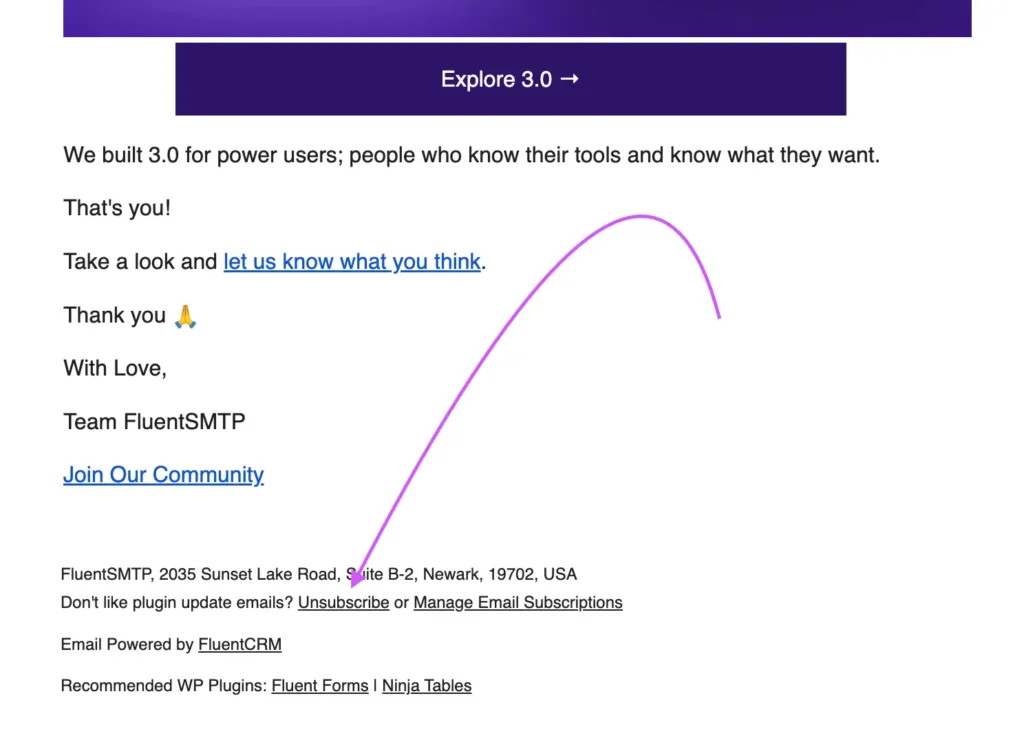
If someone wants off your list, let them leave cleanly. The complaint rate you avoid is worth far more than any subscriber retained by friction.
16. Comply with Official Bulk Sender Requirements
Bulk sender compliance is not a tactic you choose. Since early 2024 it has been a condition of reaching Gmail and Yahoo inboxes at all.
In February 2024, Google and Yahoo introduced mandatory requirements for bulk senders, defined as those sending over 5,000 emails per day. Non-compliance does not result in a warning. Emails simply get rejected outright.
The core requirements are:
- Mandatory authentication: SPF and DKIM must be properly configured. DMARC must be published at minimum p=none, with the expectation of moving toward enforcement.
- One-click unsubscribe: Marketing and subscribed commercial emails must support RFC 8058 one-click unsubscribe, with requests honored within two days.
- Spam rate threshold: Complaint rates must stay below 0.1%. Rates above 0.3% trigger bulk rejection.
Even if you currently send fewer than 5,000 emails per day, aligning with these requirements is the smart move.
The industry is clearly moving in this direction, and smaller senders who build these habits now will have a significant advantage as standards continue to tighten.
How to Tell Which of the Four Is Your Problem
Diagnosing a deliverability problem means narrowing it to one of the four causes, and they fail in a way you can work through quickly.
Start with authentication, because it is binary and takes minutes to rule out. Either the records exist and pass, or they do not. Then look at whether the problem is universal or selective, since mail landing badly everywhere points at your domain while mail failing at one provider points at your reputation with that provider specifically. Finally, look at whether it tracks a particular kind of send. If campaigns land in spam while password resets arrive normally, the cause is list quality or message structure rather than anything upstream.
What settles it is sending to real inboxes at the major providers and reading where each message actually landed, which is a different exercise from sending yourself a test. Your own mail server trusts your domain in a way Gmail never will. Testing email deliverability before each campaign will help you catch and fix content issues before they affect your inbox placement rate.
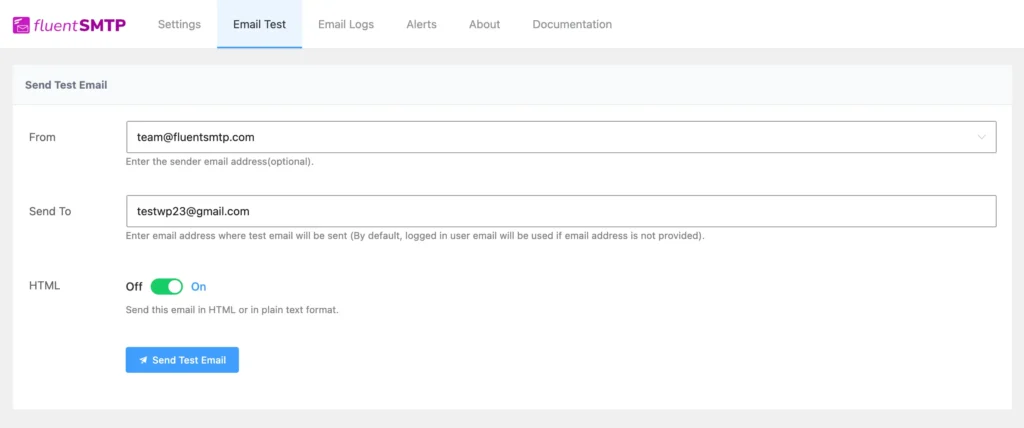
Most deliverability problems could be caught before they cause damage. A quick pre-send test takes minutes and can save you weeks of reputation repair.
Before any campaign goes out, run it through a spam testing tool. These tools check your authentication, score your content, and flag anything a spam filter might catch, all before a single subscriber sees it.
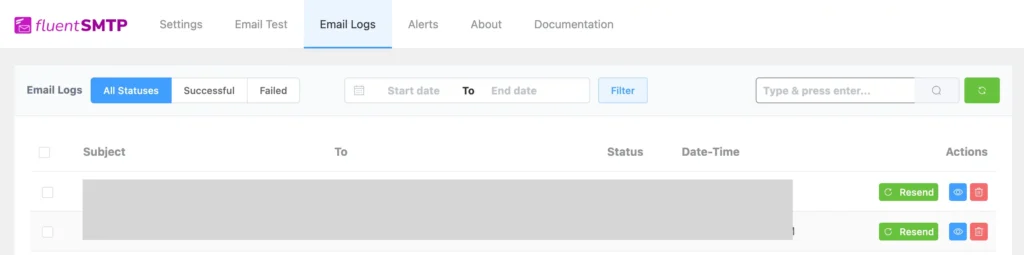
Email logs are equally important. Without them, you have no visibility into what actually happens after you hit send.
FluentSMTP solves this for WordPress sites by logging every outgoing email with its full delivery status. If an email fails, bounces, or never leaves the server, you will know immediately rather than finding out through a drop in open rates weeks later.
Improving Email Deliverability Should be a Habit
The biggest mistake senders make with deliverability is treating it like a problem to solve rather than a standard to maintain.
You can fix a blacklisting issue, clean up a dirty list, or reconfigure your authentication records, but if the habits that caused those problems stay in place, the same issues will surface again.
Strong deliverability is the result of what you do every week, not just what you set up at the start.
The working version of that habit is a short set of checks before each send, and the deliverability checklist is the run-through that covers everything above in a few minutes.
Frequently Asked Questions
Tanzil Ebad Efti
Words are my favorite playground. As a Creative Writer at WPManageNinja, I don’t just produce content; I tell stories. By mixing fiction and metaphors with real-life examples, I turn my writing into a creative journey that’s easy for readers to digest and relate to.
Table of Content
Subscribe To Get
WordPress Guides, Tips, and Tutorials


Add your first comment to this post